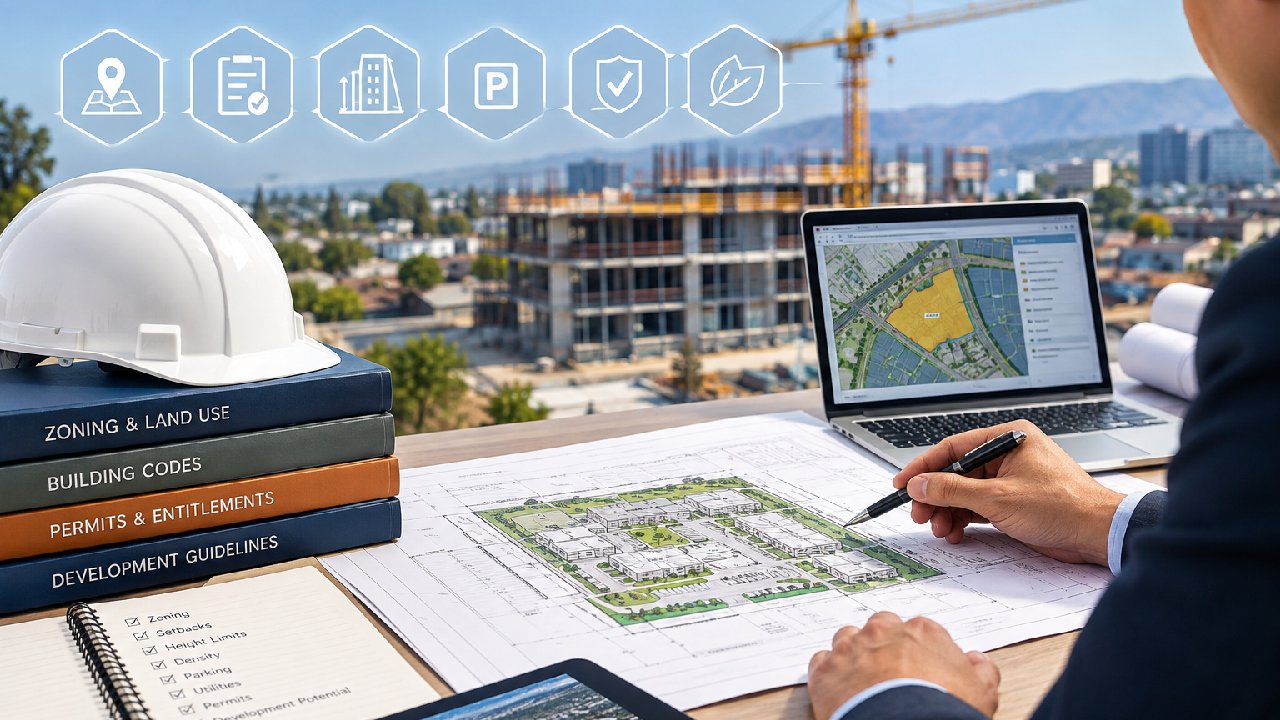

Planning a construction project in Austin? Whether it’s building a new home, adding a room, remodeling your kitchen, or installing a deck, the first step is the building permission application form. Think of it as your project’s official green light from the city.
Table of Contents
This form lets the city review your plans to make sure they follow zoning rules, building codes, and safety standards. Filling it out correctly is important—missing details or errors can delay approval, increase costs, or even result in fines.
Even small projects may need this form. For larger commercial builds, it helps the city check structural, electrical, and safety details before work begins. Submitting it right is the first step toward a smooth and stress-free construction process.
📝 Key Takeaways
Submitting a building permission application correctly is the first step to a smooth construction project:
- Complete every section accurately
- Attach all supporting documents
- Use online or in-person submission methods
- Avoid common mistakes to save time and fees
In this guide, we’ll cover everything you need to know:
When the form is required
How to fill it out correctly
Which supporting documents you need
How to submit it for approval
Follow this guide, and you can avoid common mistakes, save time, and start your project with confidence.
🏗️ Austin Building Permission Process Flow
Step 1
Prepare Application
Step 2
Attach Documents
Step 3
Submit Application
Step 4
City Review
Step 5
Approval & Permit
What Is a Building Permission Application in Austin?
A building permission application is a formal request to the City of Austin to approve construction work on a property. It is different from a permit in that the form is the official application that leads to the permit approval.
Filling it out properly is crucial. Incorrect or incomplete forms can delay your project or cause extra fees.
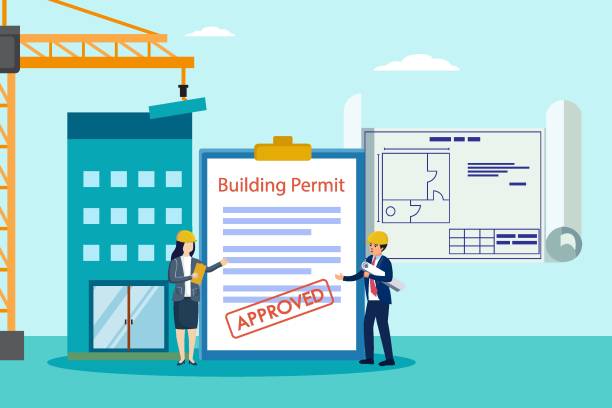
Why it matters:
Ensures your construction follows Austin building codes.
Confirms your project complies with zoning regulations.
Protects you from legal and safety issues.
Even small projects like a home addition or garage modification may require this form. The city uses it to determine if your construction is safe and legal.
Who needs it?
Homeowners planning new construction or major remodeling.
Contractors or developers working on residential or commercial properties.
Anyone making structural changes that affect safety, such as adding rooms or building decks.
Key takeaway: Always check whether your project requires a building permission application before starting any work. Submitting the form correctly ensures a smoother approval process and avoids fines.
When Is a Building Permission Application Form Required in Austin?
Not every project requires a building permission application. Knowing when it is needed saves time and effort.
Projects that usually require the form:
| Project Type | Example | Notes |
|---|---|---|
| New construction | Single-family home, duplex | Complete site plans required |
| Home additions | Extra rooms, garage expansion | Include floor plans |
| Structural changes | Removing walls, adding beams | Must meet safety codes |
| Commercial construction | Office buildings, retail spaces | Zoning review mandatory |
| Decks or accessory structures | Decks, sheds, ADUs | Check local setback rules |
Projects that may not require the form:
Cosmetic changes (painting, flooring)
Minor repairs (replacing windows, fixing doors)
Landscaping not affecting structures
Even when a project seems exempt, it is best to confirm with the Austin Development Services Department. Sometimes projects that appear minor still require a form.
Tips for homeowners and contractors:
Always check local regulations before starting.
Keep a copy of your property’s zoning information handy.
Contact city representatives if you are unsure.
Proper preparation helps prevent delays, which are common if forms are incomplete or submitted incorrectly.
Overview of the Austin Building Permission Application Form
The building permission application form collects essential details about your property and project. It gives city officials the information they need to approve your construction safely and legally.
Completing it carefully reduces mistakes and speeds up approval.
Main sections of the form:
| Section | Details Required |
|---|---|
| Property Information | Address, lot number, zoning classification |
| Applicant Information | Name, contact info, relationship to property |
| Project Description | Scope of work, size, type of construction |
| Contractor Information | Licensed contractors, trade specialists |
| Valuation and Fees | Estimated project cost, payment info |
What Information You Need
Property Details: Include your street address, legal description, and lot number. Verify this information with city records to avoid errors.
Applicant Details: This can be the property owner or an authorized agent. Include all contact information and signatures.
Project Description: Be specific. Mention square footage, structural changes, and any demolition work. Vague descriptions can delay approvals.
Contractor and Trade Details: Include licensed contractors for electrical, plumbing, or mechanical work if required.
Project Valuation: Estimate costs accurately. Underestimating can cause fee adjustments later.
Tips for smooth completion:
Double-check parcel numbers and zoning info.
Ensure plans and drawings are clear and readable.
Include all required signatures to avoid rejections.
Filling the building permission application form correctly is a critical first step. Once submitted, it triggers the official review and approval process with the city.
Step-by-Step Guide to Filling Out the Building Permission Application Form
Filling out the building permission application form may feel overwhelming at first, but breaking it down section by section makes it simple. Here is a practical guide to help you complete each part correctly.

Step 1 — Property Information Section
This section collects details about the property where construction will take place. Accurate information is critical.
What to include:
Street address and legal property description
Lot and block number
Zoning classification and council district (if known)
Common mistakes to avoid:
Using outdated lot numbers
Misspelling street names
Leaving zoning classification blank
A small error here can delay your application. Double-check your property records or consult your Austin Development Services portal to confirm the correct information.
Step 2 — Applicant and Owner Details
This section identifies who is submitting the form. It can be the property owner or an authorized agent.
Key points:
Provide full name, phone number, and email address
If someone else is submitting the form, attach an authorization letter
Include all signatures required by the city
Tip: Even if you are a licensed contractor, always confirm that you are authorized to submit on behalf of the property owner. This prevents delays and legal issues later.
Step 3 — Project Description Section
The project description is one of the most important sections. It tells the city exactly what you plan to do.
Include the following:
Type of construction (new build, addition, renovation)
Project size (square footage)
Structural details (load-bearing walls, beams, roof changes)
Demolition work (if any)
Tip: Be specific but concise. Avoid vague terms like “minor remodeling.” The city needs exact information to approve your project quickly.
Step 4 — Contractor and Trade Information
For most projects, the city requires contractor details. This ensures all trades meet licensing and safety requirements.
Include:
General contractor name and license number
Subcontractors (plumbing, electrical, mechanical)
Contact information for each trade professional
Tip: If the homeowner plans to pull the permit themselves, check whether certain trades require licensed contractors. Some smaller residential projects allow homeowner-performed work, but commercial or structural projects usually do not.
Step 5 — Project Valuation and Fee Details
The final section of the form asks for an estimated project cost.
Why it matters:
Determines city fees
Helps reviewers understand project scale
Prevents underpayment or future fee adjustments
Tip: Always provide a realistic estimate. Significant underestimates may trigger delays, additional fees, or request for clarification.
Supporting Documents Required With the Building Permission Application Form
Along with the completed form, you must submit supporting documents. Missing or incorrect documents are the most common reason applications are delayed.
Key documents include:
| Document | Purpose | Notes |
|---|---|---|
| Site plan | Shows property layout and proposed construction | Must include setbacks and boundaries |
| Floor plans | Detailed layout of each floor | Clearly label rooms and dimensions |
| Elevations | Exterior views of the building | Include all sides of the structure |
| Structural details | Load-bearing walls, beams, foundations | Often prepared by engineer or architect |
| Energy compliance forms | Confirms project meets energy codes | Required for most residential and commercial projects |
| Contractor licenses | Verify all trades are licensed | Attach copies of certificates |
Additional tips:
Submit PDFs in clear, readable format. Avoid scans that are blurry or small.
Label each file clearly to match the application section.
Keep copies of all documents for your records.
Providing complete, accurate documents improves your chances of fast approval.
📄 Required Documents for Building Permission Application
- ✅ Site Plan showing property layout & setbacks
- ✅ Floor Plans & Elevations
- ✅ Structural Details (foundation, beams)
- ✅ Energy Compliance Forms
- ✅ Contractor Licenses
How to Submit the Building Permission Application Form in Austin
Once your form and supporting documents are ready, it’s time to submit. Austin allows submission online or in-person, giving flexibility to homeowners and contractors.
Online Submission Through the City Portal
The Austin Build + Connect (AB+C) portal is the official online system. It allows you to submit forms, upload documents, and pay fees.
Steps for online submission:
Log in or create an account on the AB+C portal
Select “Building Permission Application”
Upload your completed form and supporting documents
Review all information for accuracy
Submit and pay required fees
Save your confirmation and tracking number
Tip: Online submission is usually faster. You can track comments or corrections directly through the portal.
In-Person Submission Options
For those who prefer personal assistance, the Permit and Development Center (PDC) allows in-person submission.
What to bring:
Completed application form
All supporting documents
Payment method for fees
Any authorization letters if submitting on behalf of someone else
Advantages of in-person submission:
Staff can answer questions immediately
Allows you to clarify missing items before submission
Helpful for first-time applicants or complex projects
What Happens After You Submit the Building Permission Application
Once you submit your building permission application form, the city begins the review process. Understanding what happens next helps you plan and respond to any requests efficiently.
Application Review and Intake Process
After submission, your application goes through several checks:
Intake review: Staff ensures all required sections of the form and documents are included.
Completeness check: Missing information or unclear plans are flagged.
Assignment to reviewers: City officials such as zoning, structural, and safety inspectors review your application.
Timeline:
Small residential projects may take 1–2 weeks for initial review.
Larger or commercial projects can take several weeks to months, depending on complexity.
Responding to Comments or Corrections
If the city identifies issues, they will return the application with review comments. Responding quickly prevents delays.
Common requests include:
Clarifying project scope or dimensions
Updating plans or drawings
Correcting property or zoning information
Tip: Keep all communications professional and timely. Submitting revisions online through the portal ensures they are tracked and acknowledged.
Tracking Your Application
Most applicants use the AB+C portal to track application status.
| Step | How It Shows in Portal | Notes |
|---|---|---|
| Submitted | Status: “Pending Intake” | Confirm all documents uploaded |
| Under Review | Status: “In Review” | Reviewers may request clarifications |
| Corrections Required | Status: “Comments Returned” | Upload corrected documents promptly |
| Approved | Status: “Approved” | Proceed to payment and activation |
Approval, Fees, and Permit Issuance
Once your application is approved, the next steps involve payment, permit issuance, and activation.
Paying Fees After Approval
City fees vary depending on project size, scope, and valuation.
Key points:
Fees must be paid before the permit is activated
Online payment is available via the AB+C portal
Incorrect fee payment can delay the official permit issuance
Tip: Review your invoice carefully to confirm the correct fee based on your project valuation.
Activating the Permit
Approval does not automatically mean you can start construction. You must activate the permit:
Receive official permit documentation via email or in-person pickup
Post the permit on-site as required by city code
Schedule inspections before or during construction
Remember: Construction without an activated permit may result in fines, stop-work orders, or legal issues.
💡 Tips for Faster Approval
- ✔ Double-check property and zoning information
- ✔ Submit clear, labeled plans and drawings
- ✔ Include all contractor licenses and authorizations
- ✔ Respond promptly to city comments

Common Mistakes on Building Permission Application Forms
Many delays are caused by simple mistakes. Avoiding them improves your chances of quick approval.
Top mistakes include:
Incomplete project description – vague terms like “minor renovation” do not provide enough detail
Incorrect property information – mismatched lot numbers or zoning data
Missing signatures or authorizations – especially when submitting as an agent
Unreadable plans or drawings – blurry PDFs or improperly labeled files
Underestimating project valuation – can trigger additional fee assessments
Quick checklist for applicants:
| Mistake | How to Avoid |
|---|---|
| Missing info | Review each section carefully before submitting |
| Wrong zoning or lot info | Cross-check with city property records |
| Missing signatures | Confirm all owner/agent approvals |
| Poor-quality documents | Use clear PDFs, label all files |
| Incorrect valuation | Estimate realistically using contractor quotes |
Taking time to double-check your application prevents delays, reduces costs, and ensures compliance with Austin regulations.
How Long the Building Permission Application Process Takes in Austin
Understanding the timeline helps you plan your construction project and avoid surprises. The review process can vary based on project size, complexity, and documentation quality.
Typical timelines:
| Project Type | Estimated Review Time | Notes |
|---|---|---|
| Small residential projects | 1–2 weeks | Includes simple home additions or minor renovations |
| Medium residential projects | 3–6 weeks | Larger remodels, structural changes |
| Commercial projects | 6–12 weeks | More detailed zoning and structural reviews |
| Complex or multi-phase projects | 3+ months | Large construction or multi-building developments |
Factors that can speed up the process:
Complete and accurate forms
Clear, labeled plans and drawings
Online submission through the AB+C portal
Pre-submission consultations with city staff
Factors that can slow down the process:
Missing or unclear documents
Vague project descriptions
Incorrect property or zoning information
Delayed responses to review comments
Tip: Start your application well ahead of your planned construction date. This buffer gives you time to respond to comments and get approvals without rushing.
❓ Quiz: Do You Need a Building Permission?
Answer these questions to see if your project requires a building permission application:
- 1️⃣ Are you building a new structure or adding a room?
- 2️⃣ Will you modify structural elements like walls or beams?
- 3️⃣ Is your project residential or commercial construction?
If you answered yes to any, you likely need a building permission application. Contact us for guidance!
Tips to Get Your Building Permission Application Approved Faster
Submitting a thorough, well-prepared application reduces delays and stress. Here are some practical tips to improve your chances of approval.
Prepare Everything Before You Submit
Double-check property and zoning information
Verify that all forms and plans are complete
Make sure all contractor licenses and authorizations are included
Review the project valuation for accuracy
Work With Professionals When Needed
Architects or engineers can prepare accurate drawings
Permit consultants or expeditors help ensure compliance
Licensed contractors provide the proper documentation for trades
Communicate With the City
Use the AB+C portal for updates and comments
Attend pre-submission consultations if available
Ask questions early to clarify confusing requirements
Tip: Taking these steps shows the city that your project is organized and compliant, which often leads to faster review and approval.
Conclusion — Start Your Austin Project With Confidence
Filling out the building permission application form is the first step toward a safe, legal construction project in Austin.
Key takeaways:
Complete every section accurately and clearly
Include all required supporting documents
Submit online or in-person through the city’s systems
Respond promptly to comments or corrections
Avoid common mistakes to save time and fees
By following this guide, homeowners and contractors can submit their application confidently, reduce delays, and move forward with their construction projects safely and legally.
🏗️ Austin Building Permission Application Infographic
Everything you need to know about submitting your building permission application in Austin.
1️⃣ Prepare Application
Complete the form with accurate property and project details.
2️⃣ Attach Documents
Include site plans, floor plans, elevations, and contractor licenses.
3️⃣ Submit Application
Submit online via AB+C portal or in-person at the PDC.
4️⃣ City Review
The city reviews your application for zoning, safety, and code compliance.
5️⃣ Approval & Permit
Pay fees and receive your official building permit to start construction.
💡 Quick Tips for Approval
- ✔ Double-check property and zoning information
- ✔ Submit clear and labeled drawings
- ✔ Include all contractor licenses
- ✔ Respond promptly to city comments
Source: Austin Development Services Department
FAQs: Building Permission Application Form
What is a building permission application form and how do I obtain it?
A building permission application form is the official building permit application used to request approval for building construction in Austin. It is required before starting work that affects structural elements, building systems, or life safety.
The form is available through the city’s electronic permitting system and functions as the Construction Permit Application and initial INTAKE FORM. Once submitted, it begins the plan review process for building permits and related approvals.
Who needs to submit a building permission application in Austin?
Anyone planning work that requires building permits must submit a building permission application. This includes:
Homeowners working on an Owner-occupied Single-family Dwelling
Contractors managing residential or commercial projects
Property owners planning structural changes or regulated upgrades
Projects such as roof replacement, demolition permit requests, or changes to building systems often require formal submission to the Building Division.
What types of projects require a building permission application?
A building permission application is commonly required for:
New construction and additions
Decks, garages, and accessory structures
Interior remodeling affecting structure or load-bearing walls
Commercial tenant build-outs
Demolition permit requests
Special permits may also be required for electrical permits, fire alarm systems, fuel-fired equipment, or structural masonry work tied to the main Construction Permit.
Is a building permission application the same as a permit?
No. The application is the request submitted for city review. The building permit or Construction Permit is issued only after successful plan review and payment of permit fees.
Submitting the application allows the city to review construction drawings, zoning compliance, and safety requirements before building permits are issued.
How do I fill out a building permission application form?
To complete the application correctly, you must provide:
Property and zoning information
Applicant and contractor details
A detailed project description
Estimated project value for permit fees
Required authorizations and signatures
Accurate information helps avoid delays during plan review and reduces the need for resubmitting plans.
What documents are required when submitting a building permission application form?
Most applications require the following documents:
Site plan and layout drawings
Construction drawings, including floor plans and elevations
Structural details for foundations, framing, or helical pile systems
Energy or insulation documentation, such as an air barrier checklist
Contractor licenses or certificates of competency
Documents are submitted through electronic plan review, which allows reviewers to issue comments digitally.
Where should I submit my building permission application form?
Applications are typically submitted online through the city’s electronic permitting system, which supports document uploads, plan review tracking, and inspection scheduling.
In-person submission may be available through the Building Division for applicants who need assistance or are submitting specialized materials.
Can homeowners submit the application themselves?
Yes. Homeowners may submit applications for Homeowner Builder Permits, especially for work on an owner-occupied single-family dwelling.
However, licensed professionals may still be required for specific work, such as electrical permits, gas piping systems, or sewer connections.
What happens after I submit the application?
After submission, the city conducts a completeness review and begins plan review. Reviewers evaluate zoning, structural integrity, and construction safety compliance.
Applicants may receive comments requesting revised construction drawings or additional documents. Once approved and permit fees are paid, the permit is activated.
How long does it typically take to get approval for a building permission application?
Approval timelines vary based on project scope:
Small residential projects: one to two weeks
Medium residential projects: three to six weeks
Commercial projects: six to twelve weeks or longer
Timely responses during plan review help prevent delays.
What are common reasons a building permission application might be rejected?
Applications are commonly delayed or rejected due to:
Missing or unclear construction drawings
Incorrect zoning or property data
Incomplete intake forms
Underestimated project valuation affecting permit fees
Poor document labeling or formatting
Avoiding these issues helps speed approval and reduce correction cycles.
What are the fees associated with submitting a building permission application form?
Permit fees vary based on project type, size, and valuation. Fees are assessed after plan review approval and must be paid before the permit is issued.
Additional fees may apply for demolition permits, electrical permits, inspections, or Certificate of Occupancy processing.
Do I need a permit number before construction?
Yes. Construction may not begin until the application is approved, permit fees are paid, and a permit number is issued. Starting work early may result in violations or stop-work orders.
Can I modify or withdraw my building permission application after submission?
Yes. Applicants may revise submissions by uploading corrected documents or updated plans during plan review. Changes should be submitted promptly to avoid extended delays.
If necessary, an application can also be withdrawn before permit issuance.
Are inspections required after permit approval?
Yes. Inspections are required at key construction stages and may include:
Foundation inspections
Framing inspections
Electrical, plumbing, and mechanical inspections
Final inspection for Certificate of Occupancy
Inspection reports confirm compliance before project completion or occupancy.
What is the difference between a residential and commercial building permission application?
Residential applications cover single-family homes, duplexes, and home additions. Commercial applications apply to retail, office, and multi-building developments.
Commercial permits typically involve more extensive plan review, additional safety requirements, and coordination with multiple review teams.
How can I check the status of my application?
Applicants can check status through the electronic permitting system, which provides updates on plan review progress, inspection status, and approval milestones.
Online access allows faster responses to reviewer comments and easier document resubmission.
Do small repairs require a building permission application?
Minor cosmetic repairs such as painting or flooring typically do not require an application. However, work involving building systems, smoke alarm upgrades, or structural components may still require approval.
Always confirm requirements before starting work.
What if my building permission application is rejected?
If rejected, the city provides written comments explaining the issues. Applicants must correct deficiencies and resubmit updated documents for further review.
Prompt revisions help avoid extended delays and additional permit fees.
Can I submit supporting documents digitally?
Yes. Digital submission is encouraged and allows applicants to upload site plans, construction drawings, inspection reports, and licenses efficiently.
Electronic submission improves tracking, reduces processing time, and simplifies communication during plan review.