Getting a building permit sounds simple. In reality, it rarely is.
Every construction or development project must comply with local building codes, zoning rules, and city regulations. Whether you are planning a commercial build-out, a warehouse upgrade, or a ground-up development, permits are part of the process.
The challenge is not just filing paperwork. It is understanding requirements, coordinating with agencies, responding to plan check comments, and keeping your project on schedule.
That is where two common solutions come in:
Hiring a permit expediter
Using permit management software
Both aim to simplify the permitting process. However, they work very differently.
In this guide, we will break down both options clearly. You will understand what each one does, how they compare, and when one makes more sense than the other.
What Is a Permit Expediter? A Simple Explanation
A permit expediter is a professional who helps property owners, developers, architects, and contractors obtain permits from local authorities.
Instead of you dealing directly with the city or county, the expediter handles the communication and paperwork on your behalf. Think of them as a liaison between your project team and the building department.
They do not design the project. They do not perform construction. Instead, they focus on compliance, submissions, and follow-ups.
How a Permit Expediter Works
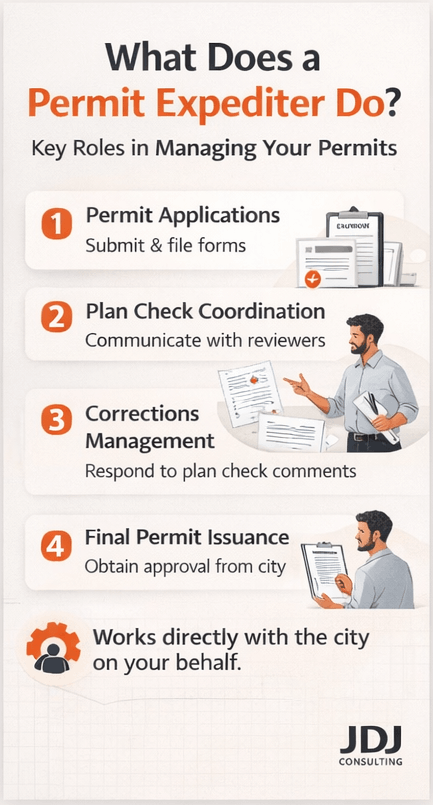
The process usually follows these steps:
Review your project plans
Identify required permits
Prepare and submit applications
Coordinate with plan check reviewers
Respond to correction comments
Track approval status
Secure final permit issuance
Because they work closely with municipalities, experienced expediters often understand local procedures, internal workflows, and common red flags.
That knowledge can reduce delays. However, results depend heavily on the individual’s expertise and relationships.
Typical Services Provided by Permit Expediters
Most permit expediters handle:
Building permit applications
Zoning clearances
Conditional use permits
Plan check coordination
Department corrections and resubmittals
Permit status tracking
Inspection scheduling support
Some also assist with entitlement approvals and pre-construction documentation.
Here is a simple overview.
| Service Area | What the Expediter Handles | Why It Matters |
|---|---|---|
| Permit Research | Confirms required approvals | Prevents missing permits |
| Application Filing | Prepares and submits forms | Reduces clerical errors |
| Plan Check Coordination | Communicates with reviewers | Speeds up responses |
| Corrections Management | Handles resubmittals | Keeps project moving |
| Status Tracking | Monitors approval timeline | Improves visibility |
For complex developments, this hands-on support can be valuable. Still, it comes at a cost, which we will discuss later in the article.
What Is Permit Software? A Simple Explanation
Permit software is a digital tool designed to organize and manage the permitting process. Instead of relying on a person to track everything manually, software centralizes documentation, deadlines, and communication in one system.
It is commonly used by:
Real estate developers
Construction managers
Retail expansion teams
Multi-site operators
Architecture and engineering firms
The goal is structure and transparency.
How Permit Management Software Works
Most systems follow a digital workflow:
Enter project details into the system
Upload plans and documents
Assign tasks and deadlines
Track submission status
Receive alerts for updates or corrections
Store approvals in a central dashboard
This creates a single source of truth. Teams can log in anytime to check status, download documents, or see what is pending. Unlike an expediter, software does not interact with the city for you. Instead, it helps your team stay organized and consistent.
Common Features of Permit Software
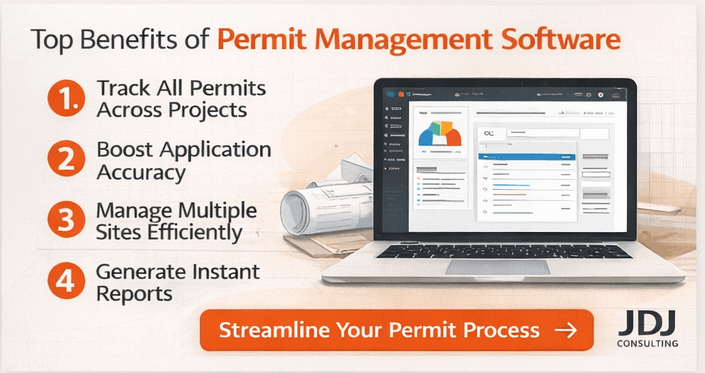
Modern permit management platforms typically include:
Document storage and version control
Permit tracking dashboards
Automated reminders and notifications
Workflow templates
Multi-project visibility
Reporting and analytics
Here is a comparison between manual tracking and software systems.
| Process Element | Manual Tracking (Spreadsheets & Email) | Permit Software |
|---|---|---|
| Document Storage | Scattered across folders | Centralized database |
| Deadline Tracking | Calendar reminders | Automated alerts |
| Status Updates | Email follow-ups | Real-time dashboard |
| Multi-Project Visibility | Limited | Portfolio-level view |
| Reporting | Manual compilation | Instant reporting |
For companies handling multiple locations, this structure can reduce confusion. However, software requires internal management. Someone must input accurate information and keep records updated. It is a tool, not a replacement for expertise.
Why This Comparison Matters for Developers and Owners
Permitting delays can directly impact:
Construction schedules
Labor costs
Financing timelines
Tenant occupancy dates
Return on investment
Even small administrative errors can cause weeks of delay. Therefore, choosing the right support system matters.
Some projects benefit from human experience and local relationships. Others benefit from digital consistency and scalability.
The right choice depends on:
Project size
Number of jurisdictions
Internal team capacity
Budget
Timeline sensitivity
Pros of Using a Permit Expediter
Hiring a permit expediter can feel like adding an extra layer to your project team. However, in many cases, that extra layer reduces stress and delays.

Permit expediters bring hands-on experience. They understand how building departments operate. They know what reviewers look for. More importantly, they know where projects often get stuck.
Let’s look at the key advantages.
Strong Local Knowledge of Building Departments
Every city and county has its own procedures.
Even when building codes are similar, internal processes differ. Some departments require specific formatting. Others expect certain documents upfront. Some have unwritten expectations that only experienced professionals understand.
A seasoned expediter often knows:
Which permits can be processed together
Which departments review plans first
Common correction comments
Typical review timelines
Internal routing procedures
This knowledge reduces guesswork. Instead of learning through trial and error, your project benefits from prior experience. For projects in jurisdictions with complex zoning rules or layered approvals, this can make a measurable difference.
Direct Communication With Plan Check Reviewers
Permit expediters communicate directly with city officials.
That personal interaction can help clarify:
Correction comments
Missing documentation
Technical questions
Required revisions
Email alone does not always solve issues. Sometimes a short call or in-person visit speeds up clarification. While expediters cannot override regulations, they can reduce misunderstandings.
This improves response time and prevents repeated rejections.
Time Savings for Your Internal Team
Managing permits internally takes time. Your project managers already coordinate consultants, contractors, budgets, and schedules. Adding permit follow-ups to that workload creates strain.
An expediter handles:
Submission logistics
Status checks
Department follow-ups
Correction resubmittals
This frees your internal team to focus on planning and construction. For small teams, that relief can be valuable.
Reduced Risk of Application Errors
Permit applications require accuracy.
Small mistakes can lead to:
Rejections
Additional fees
Resubmittals
Lost time
Experienced expediters understand documentation requirements. They review forms before submission and confirm that required attachments are complete. That review process reduces preventable errors. However, quality depends on the individual’s attention to detail.
Helpful for Complex or Multi-Department Projects
Some projects require approvals from:
Building
Planning
Fire
Public Works
Environmental Health
Coordinating multiple agencies increases complexity. An expediter can manage those parallel reviews and ensure submissions stay aligned. For large commercial projects or entitlement-driven developments, this coordination can prevent confusion.
Here is a summary of the advantages.
| Advantage | Why It Matters | Best For |
|---|---|---|
| Local expertise | Reduces procedural confusion | Complex jurisdictions |
| Direct communication | Speeds clarification | Projects with corrections |
| Time savings | Frees internal staff | Small development teams |
| Error reduction | Prevents rejections | First-time applicants |
| Multi-agency coordination | Aligns departments | Large developments |
Now let’s look at the other side.
Cons of Hiring a Permit Expediter
While expediters provide value, they are not always the best solution. There are trade-offs to consider.
Higher Project Costs
Permit expediters charge service fees.
These fees may be:
Hourly
Flat-rate per permit
Project-based
For simple permits, the added cost may not justify the benefit. On smaller tenant improvements or routine permits, internal management might be more cost-effective.
Limited Scalability
An expediter is still one person or a small team. If you manage multiple projects across cities or states, a single expediter may struggle to keep pace.
Human capacity has limits. This becomes more noticeable for developers handling:
Multi-site retail rollouts
Regional portfolios
Franchise expansions
In these cases, workload volume matters.
Variability in Experience
Not all permit expediters offer the same level of expertise. Some specialize in specific cities. Others focus on residential projects rather than commercial development.
Choosing the wrong provider can result in:
Slow communication
Missed deadlines
Incomplete submissions
Due diligence is important before hiring.
Less Transparency in Tracking
When working with an expediter, status updates depend on communication. If the provider does not use structured reporting tools, your visibility may be limited.
You may rely on:
Email updates
Phone calls
Manual reports
This works well with organized professionals. However, it lacks automated tracking. Here is a quick summary of potential drawbacks.
| Drawback | Impact on Project |
|---|---|
| Service fees | Increases total project cost |
| Limited bandwidth | Slower handling of multiple permits |
| Skill variability | Inconsistent results |
| Manual tracking | Less visibility compared to software |
Understanding these limitations helps you decide whether personal expertise outweighs cost and scalability concerns.
Pros of Using Permit Software
Permit software approaches the process differently. Instead of relying on one person’s expertise, it relies on structure, automation, and visibility. For growing development firms and multi-site operators, this difference matters.
Let’s break down the advantages.
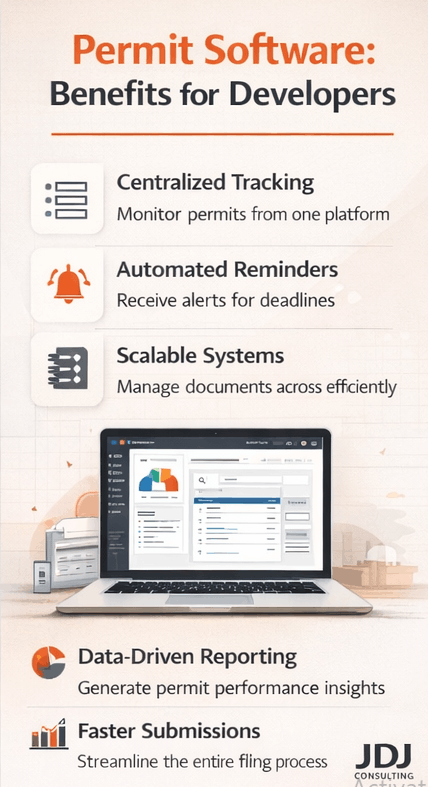
Centralized Permit Tracking Across Projects
One of the biggest benefits is visibility. Permit management software keeps everything in one place:
Applications
Plan sets
Correction letters
Deadlines
Approval dates
If you manage five projects, or fifty, you can see them all in a single dashboard. This reduces confusion. It also prevents documents from being buried in email threads or local folders.
For developers expanding across cities or states, that centralized control supports better oversight.
Real-Time Status Updates
With software, you are not waiting for someone to send an update.
Most systems allow:
Status tracking by permit type
Automated notifications
Reminder alerts for deadlines
Logs of submissions and responses
This transparency supports better decision-making. For example, if a review is delayed, your team can adjust timelines early instead of reacting late. Clear data improves planning.
Scalable for Multi-Site Development
If you are opening multiple retail locations or managing portfolio-wide renovations, volume increases quickly. Manual tracking becomes risky.
Permit software scales easily because:
Templates can be reused
Tasks can be duplicated
Checklists can be standardized
Reports can be generated instantly
As project count grows, the system remains stable.
This is especially helpful for:
National retailers
Franchise groups
Industrial portfolio owners
Regional developers
Consistency across projects reduces operational risk.
Improved Documentation Control
Version control is critical in permitting. When plan sets change, teams must ensure the correct revision is submitted.
Permit software often includes:
Version tracking
Document history logs
Access controls
Secure cloud storage
This reduces the chance of submitting outdated drawings. It also simplifies audits or future reference. Years later, you can still access past approvals.
Data-Driven Reporting and Insights
Software generates reports quickly.
You can track:
Average approval times
Number of resubmittals
Permit fees by jurisdiction
Approval trends by project type
This data helps leadership evaluate performance. It also supports better budgeting and forecasting.
Here is a summary of key benefits.
| Benefit | Why It Matters | Best For |
|---|---|---|
| Central dashboard | Improves visibility | Multi-project teams |
| Real-time alerts | Prevents missed deadlines | Fast-paced projects |
| Scalability | Handles high volume | Retail rollouts |
| Document control | Reduces version errors | Complex submissions |
| Reporting tools | Supports planning | Portfolio managers |
Now let’s look at the limitations.
Cons of Permit Software
While software improves structure, it does not replace human expertise. There are practical limitations to consider.
No Direct City Representation
Software does not attend meetings. It does not speak with plan check reviewers. It does not clarify correction comments on your behalf.
Your internal team must still:
Submit documents
Communicate with agencies
Respond to comments
Attend hearings if required
If your team lacks permitting experience, software alone may not solve procedural challenges.
Requires Internal Oversight
Permit software is only as effective as the data entered into it. If updates are not recorded, dashboards become inaccurate.
Someone must be responsible for:
Inputting submission dates
Uploading revised plans
Updating correction responses
Monitoring alerts
Without accountability, the system loses value.
Learning Curve and Implementation Time
New systems require onboarding.
Teams may need:
Training sessions
Setup configuration
Workflow customization
Integration with other project management tools
This takes time upfront. However, once implemented properly, the long-term efficiency often improves.
Subscription and Technology Costs
Software usually involves:
Monthly or annual subscriptions
Per-user fees
Setup costs
Potential integration expenses
For smaller developers handling only a few permits per year, the investment may not make financial sense. Cost-benefit analysis matters.
Here is a summary of potential drawbacks.
| Drawback | Impact on Project |
|---|---|
| No human advocacy | Limited direct agency interaction |
| Requires data input | Risk of outdated records |
| Setup time | Short-term adjustment period |
| Subscription cost | Ongoing operational expense |
Permit Expediter vs. Permit Software: Direct Comparison
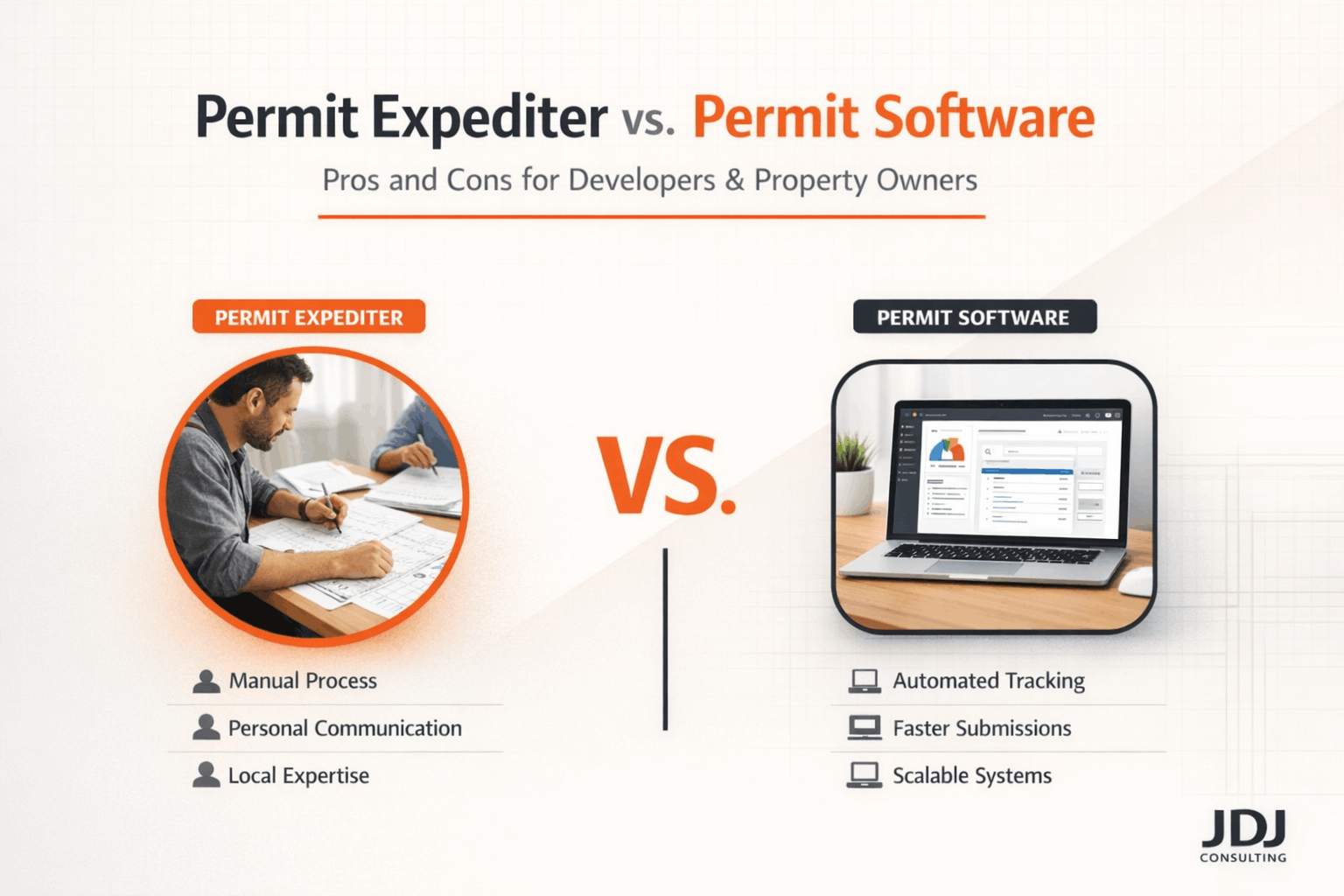
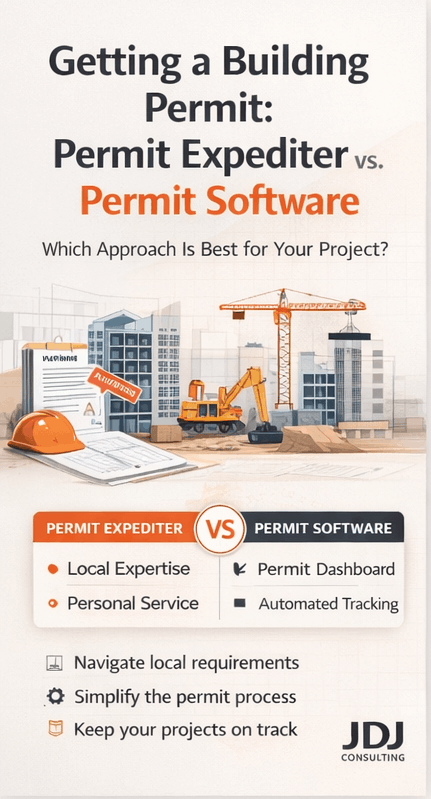
Now that we have reviewed both sides, let’s compare them clearly. Each option solves different problems. Permit expediters provide hands-on guidance and local knowledge. Permit software provides structure and scalability.
Here is a side-by-side breakdown.
| Factor | Permit Expediter | Permit Software |
|---|---|---|
| Expertise | Human experience and local insight | System-based process support |
| Communication | Direct with city officials | Managed by internal team |
| Scalability | Limited by team capacity | Scales across many projects |
| Transparency | Depends on reporting | Real-time dashboard |
| Cost Structure | Project-based or hourly | Subscription-based |
| Best For | Complex, high-stakes permits | High-volume, multi-site operations |
The choice depends on your project type and internal capacity. In some cases, using both provides the strongest solution.
When to Choose a Permit Expediter
Now that we have reviewed the pros and cons, the next question is simple. When does hiring a permit expediter make the most sense? The answer depends on project complexity, internal expertise, and risk tolerance.

Complex Commercial or Industrial Projects
If your project involves multiple approvals, an expediter can be valuable.
For example:
Ground-up commercial construction
Warehouse conversions
Mixed-use developments
Projects requiring zoning variances
Conditional use permits
These cases often require coordination across several departments. An experienced expediter understands how reviews move internally. That knowledge reduces confusion and missed steps. When delays carry high financial impact, additional support can protect your timeline.
Tight Deadlines With High Financial Stakes
Time affects cost. Construction loans accrue interest. Contractors schedule labor in advance. Tenants plan move-in dates. If permit delays disrupt those timelines, expenses rise quickly.
In high-pressure scenarios, having someone dedicated to follow-ups can reduce uncertainty. While no one can guarantee faster approvals, consistent communication often prevents unnecessary slowdowns.
Limited Internal Permitting Experience
Some development teams are strong in construction management but less experienced with regulatory approvals.
If your team:
Has not worked in a specific jurisdiction before
Is unfamiliar with local zoning procedures
Lacks time to manage corrections
An expediter can fill that gap. Their role becomes more advisory, not just administrative.
Smaller Project Volume
If you handle only a few permits each year, hiring software may not make financial sense. In those cases, paying for professional support per project may be more efficient.
Here is a quick reference guide.
| Scenario | Permit Expediter Recommended? | Reason |
|---|---|---|
| Complex zoning case | Yes | Requires local insight |
| Single retail build-out | Possibly | Depends on team capacity |
| High-volume rollout | Less ideal | Scalability limits |
| New jurisdiction entry | Yes | Local knowledge helps |
| Occasional permits only | Yes | Avoid software overhead |
Now let’s examine when software may be the better choice.
When to Choose Permit Software
Permit software is strongest when structure and volume matter. If your organization manages multiple projects at once, digital systems provide consistency.
Multi-Site Development or Portfolio Expansion
Retail chains, franchise groups, and industrial owners often manage dozens of permits at the same time.
In these situations:
Tracking becomes complex
Emails increase
Deadlines overlap
Visibility declines
Permit management software solves this by centralizing information. Each project follows a standardized workflow. This reduces confusion and missed steps.
Internal Team With Permitting Knowledge
If your internal team understands local processes, software can enhance efficiency. Instead of outsourcing communication, your staff uses digital tools to:
Monitor deadlines
Store documentation
Track plan revisions
Generate reports
This approach keeps control in-house. It also builds institutional knowledge over time.
Long-Term Operational Strategy
Permit software works well for organizations planning steady growth. Over time, historical data helps you analyze:
Approval timelines by city
Common correction types
Cost trends
Review durations
That data improves forecasting and budgeting. For leadership teams, measurable performance indicators support better decisions.
Need for Transparency Across Departments
Larger firms often involve:
Development
Legal
Finance
Construction
Asset management
Software allows shared visibility. Instead of waiting for updates, stakeholders can log in and review permit status directly. This reduces internal communication delays.
Here is a comparison guide for choosing software.
| Scenario | Permit Software Recommended? | Reason |
|---|---|---|
| Multi-state retail rollout | Yes | Scalable tracking |
| Large internal team | Yes | Centralized coordination |
| Portfolio-wide renovations | Yes | Standardized workflows |
| One-time development | Possibly not | May not justify subscription |
| Small single project | Usually no | Manual tracking may suffice |
Can You Use Both? The Hybrid Approach
In many cases, the strongest strategy is not choosing one over the other. It is combining both. This hybrid model works well for mid-size and large development firms.
How a Hybrid Workflow Looks
Software manages documentation and deadlines
Internal team monitors dashboard
Permit expediter handles complex agency communication
Corrections are tracked digitally
Final approvals are stored centrally
This approach offers:
Human expertise
Digital structure
Improved visibility
Scalable systems
For example, a developer expanding into a new city may hire a local expediter for initial approvals while using software to track overall portfolio progress. That balance supports both compliance and growth.
Cost Considerations and Return on Investment
Cost is often the deciding factor. Permit expediters typically charge:
Hourly rates
Flat fees per permit
Project-based fees
Permit software usually involves:
Monthly or annual subscriptions
Per-user pricing
Setup fees
The real cost question is not just service price. It is delay risk.
Permit delays can impact:
Construction start dates
Lease commencement
Financing schedules
Revenue projections
If better tracking or expert oversight prevents a delay, the savings may exceed the service cost.
Here is a simplified comparison.
| Cost Factor | Permit Expediter | Permit Software |
|---|---|---|
| Upfront cost | Moderate to high per project | Lower monthly entry cost |
| Ongoing cost | Project-based | Subscription-based |
| Delay risk reduction | Strong for complex cases | Strong for multi-project tracking |
| Long-term scalability | Limited | High |
Evaluating your portfolio size and growth plans helps determine long-term value.
Final Decision Framework: Which Option Is Right for Your Project?
At this point, the choice becomes practical. You are not choosing between “good” and “bad.” You are choosing between two different tools. The better option depends on your project profile, internal capacity, and growth strategy.
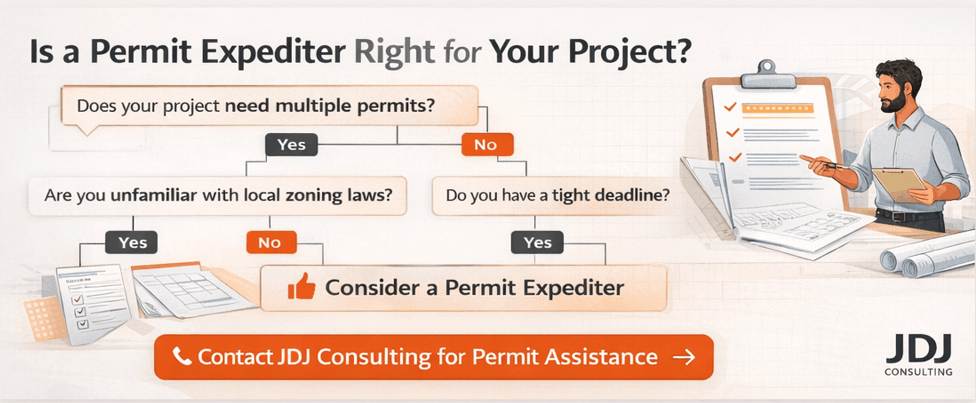
Let’s simplify the decision.
Step 1: Evaluate Project Complexity
Ask yourself:
Does this project require zoning approvals?
Are multiple departments involved?
Is there a history of strict plan checks in this jurisdiction?
Are public hearings required?
If the answer is yes to several of these, professional permit expediting support may reduce risk. If the project is a straightforward tenant improvement with clear requirements, software or internal tracking may be enough. Complexity drives the need for human expertise.
Step 2: Assess Internal Team Capacity
Next, consider your team.
Do you have someone dedicated to permitting?
Does your team understand local building codes?
Can they manage correction cycles efficiently?
If internal knowledge is strong, software enhances organization. If experience is limited, an expediter provides guidance. The goal is not to outsource unnecessarily. It is to fill gaps wisely.
Step 3: Consider Project Volume
Volume changes the equation.
If you manage:
One or two permits per year
Occasional development projects
Hiring software may not justify the subscription cost.
However, if you oversee:
Multi-location retail expansion
Ongoing industrial upgrades
Regional portfolio improvements
Permit software supports long-term efficiency. Here is a simplified decision matrix.
| Your Situation | Recommended Approach |
|---|---|
| Single complex project | Permit expediter |
| Multi-site development | Permit software |
| New market entry | Expediter or hybrid |
| Strong internal permitting team | Software |
| Limited staff and high workload | Expediter |
| Growing portfolio with repeat projects | Hybrid model |
This framework helps remove guesswork.
Common Questions Developers Ask
Let’s address a few practical concerns.
Does a Permit Expediter Guarantee Faster Approvals?
No one can guarantee faster approvals. Building departments follow their own review timelines. However, experienced expediters often reduce avoidable delays by ensuring complete submissions and clear communication. They influence efficiency, not regulations.
Can Permit Software Replace a Permit Expediter?
Not entirely. Software improves structure and transparency. It does not replace local relationships or interpretation of correction comments. For complex cases, human expertise still matters.
Is a Hybrid Approach Too Expensive?
Not necessarily. For many mid-size developers, combining both reduces long-term risk.
For example:
Use software for tracking and documentation.
Hire an expediter for high-risk approvals only.
This keeps costs controlled while protecting schedules.
What If a Permit Gets Rejected?
Whether using an expediter or software, rejections can happen. The key is structured response.
You must:
Review correction comments carefully
Coordinate with your architect or engineer
Resubmit within required timelines
Track status consistently
Both systems support this process differently.
Key Takeaways for Developers and Owners
Let’s summarize clearly. Permit expediters offer:
Local regulatory knowledge
Direct agency communication
Hands-on correction management
Time savings for small teams
Permit software offers:
Centralized tracking
Portfolio-wide visibility
Standardized workflows
Scalable systems for growth
The right choice depends on:
Project size
Geographic footprint
Internal expertise
Long-term strategy
Many developers find that as their portfolio grows, digital systems become essential. At the same time, experienced expediters remain valuable for complex jurisdictions and high-stakes approvals.
Closing Thoughts
Permitting is not just paperwork. It affects construction timelines, financing schedules, and tenant occupancy. Choosing the right support structure reduces risk and improves predictability.
For some projects, expert guidance is the safest path. For others, structured digital management provides efficiency and transparency.
The smartest approach is the one aligned with your operational model. If your organization is evaluating permit management strategies or expanding into new jurisdictions, it may be worth reviewing your current workflow carefully.
Strong permit processes protect your investment long before construction begins.
Ready to Simplify Your Permit Process?
Permitting should not slow down your development.
Whether you need hands-on permit expediting support or a structured permit management strategy, the right approach can protect your timeline and budget.
At JDJ Consulting, we help developers, property owners, and construction teams manage approvals efficiently and professionally. From complex commercial permits to multi-site coordination, our team focuses on clarity, compliance, and results.
If you are planning a new project or facing delays, let’s talk.
Call us: (818) 793-5058
Email: sales@jdj-consulting.com
Contact page: https://jdj-consulting.com/contact-us/
A short conversation can help you understand your options and choose the right strategy for your project. Reach out today and move forward with confidence.
References
Permit Expediter Services Explained – Overview of permit expediters and their role in construction approvals.
Construction Permit Services – Compare permit expediters vs. permit software.
What Is a Permit Expediter – Roles and benefits of hiring an expediter.
Permitting Services vs. Permit Software – Pros and cons of each approach.
Best Building Permit Software Guide – Benefits of digital permit management.
FAQs: Permit Expediter vs. Permit Software
What Is A Building Permit And Why Is It Required?
A building permit is official approval from the city or county allowing construction, renovation, or structural changes to begin. It ensures your project complies with local building codes and safety regulations.
Permits are required to:
Protect public safety
Ensure zoning compliance
Verify structural integrity
Confirm fire and life-safety standards
Without a permit, you risk fines, stop-work orders, or costly corrections later.
What Types Of Projects Require A Permit?
Most structural or system-related work requires a permit. This includes:
New construction
Room additions
Structural modifications
Electrical or plumbing upgrades
HVAC system installations
Commercial tenant improvements
Even minor projects may require approval depending on your city. Always verify local regulations before starting work.
How Long Does The Permit Approval Process Take?
Permit timelines vary based on project size, jurisdiction, and complexity. Simple residential permits may take 1–3 weeks, while commercial projects can take several months.
Approval time depends on:
Completeness of submitted plans
Plan check backlogs
Required agency reviews
Corrections and resubmittals
Early coordination and proper documentation significantly reduce delays.
What Documents Are Typically Required For A Permit Application?
Permit submissions usually require technical documentation to demonstrate compliance.
Common requirements include:
Architectural plans
Structural calculations
Site plans
Energy compliance forms
Title 24 documentation (in California)
Contractor information
Incomplete packages are the most common cause of delays.
What Is Plan Check In The Permit Process?
Plan check is a detailed review by city officials to ensure submitted drawings comply with building codes, zoning laws, and safety standards.
During plan check:
Reviewers examine structural safety
Zoning compliance is verified
Fire and accessibility codes are checked
Corrections may be issued
Applicants must address corrections before approval is granted.
Can I Start Construction Without A Permit?
Starting construction without a permit is risky and often illegal. Cities can issue stop-work orders and impose fines.
Consequences may include:
Daily penalties
Required demolition of unapproved work
Delays in project completion
Difficulty selling the property
It is always safer and more cost-effective to secure approval first.
What Is Permit Expediting?
Permit expediting is a professional service that helps navigate the approval process efficiently. Expediters coordinate with city departments, track submissions, and resolve issues quickly.
They assist with:
Preparing complete applications
Monitoring plan check progress
Responding to corrections
Scheduling inspections
This service reduces stress and saves valuable time.
What Causes Permit Delays?
Delays often result from avoidable issues. The most common reasons include:
Incomplete documentation
Code non-compliance
Zoning conflicts
Unpaid fees
High city workload
Proactive planning and experienced coordination minimize these risks.
How Much Do Building Permits Cost?
Permit costs vary depending on project size, valuation, and jurisdiction. Fees may include:
Plan check fees
Inspection fees
Impact fees
Technology surcharges
Commercial projects typically have higher fees due to complexity and square footage.
What Is A Zoning Review?
A zoning review ensures your project complies with land use regulations before construction approval.
It evaluates:
Property setbacks
Building height
Parking requirements
Permitted land use
Zoning compliance is essential before structural review can proceed.
What Happens During A Building Inspection?
Inspections verify that construction matches approved plans and meets safety standards.
Inspectors check:
Framing and structural components
Electrical and plumbing systems
Fire safety measures
Accessibility features
Multiple inspections may be required throughout the project.
What Is A Certificate Of Occupancy?
A Certificate of Occupancy (CO) is issued after final inspection. It confirms the building is safe and approved for use.
Without a CO:
Commercial spaces cannot legally operate
Properties may not be leased or sold
Insurance coverage may be limited
It marks the final step in the permitting process.
Do Renovations Always Require Permits?
Not all renovations require permits, but many do. Cosmetic upgrades like painting or flooring usually do not. However:
Structural changes require permits
Moving walls requires approval
Electrical or plumbing changes need review
Window or door replacements may require permits
When in doubt, confirm with your local authority.
What Is A Tenant Improvement Permit?
A tenant improvement (TI) permit is required when modifying a commercial space for a new tenant.
It typically includes:
Interior layout changes
Mechanical upgrades
Electrical adjustments
ADA compliance updates
Commercial TI projects often require detailed plan review.
How Can I Speed Up The Permit Approval Process?
You can improve approval timelines by preparing strategically.
Best practices include:
Submitting complete and accurate plans
Pre-checking zoning requirements
Responding quickly to corrections
Hiring experienced permit consultants
Early preparation prevents repeated resubmittals.
What Are Impact Fees?
Impact fees are charges imposed by municipalities to offset infrastructure demands caused by new development.
They may cover:
Road improvements
Schools
Utilities
Public safety services
These fees vary by location and project size.
What Is Title 24 Compliance?
Title 24 refers to California’s energy efficiency standards for buildings. Compliance ensures your project meets state energy performance requirements.
It often includes:
Energy calculations
Lighting compliance forms
HVAC efficiency documentation
Insulation specifications
Failure to meet these standards can delay approval.
What Happens If My Permit Application Is Denied?
If denied, you will receive correction comments explaining required changes. You may:
Revise plans
Submit additional documentation
Request clarification meetings
Appeal decisions (in some cases)
Most denials are resolved through plan revisions rather than rejection.
Can Permit Requirements Differ By City?
Yes. Each city or county has its own building department and regulations. While codes may follow state standards, local amendments can vary.
Differences may include:
Processing timelines
Fee structures
Submittal formats
Inspection scheduling procedures
Always review the specific requirements of your jurisdiction.
Why Should I Hire A Permit Consultant?
Navigating permits alone can be time-consuming and complex. A permit consultant understands procedural requirements and city expectations.
Benefits include:
Reduced approval timelines
Fewer plan check corrections
Clear communication with agencies
Improved project coordination
Professional guidance helps protect your schedule and investment.