Construction projects are more complex than ever. Teams work across different locations. Permits take time. Budgets can shift quickly. Because of this, many firms now rely on construction management software to stay organized.
These tools help bring everything into one place. You can track schedules, manage documents, and monitor costs without switching between systems. As a result, projects run smoother and teams stay aligned.
At the same time, not all software works the same way. Some platforms focus on large commercial builds. Others are better for smaller projects or residential work. Some tools also support permitting and compliance, which is critical for projects in regulated areas like Texas.
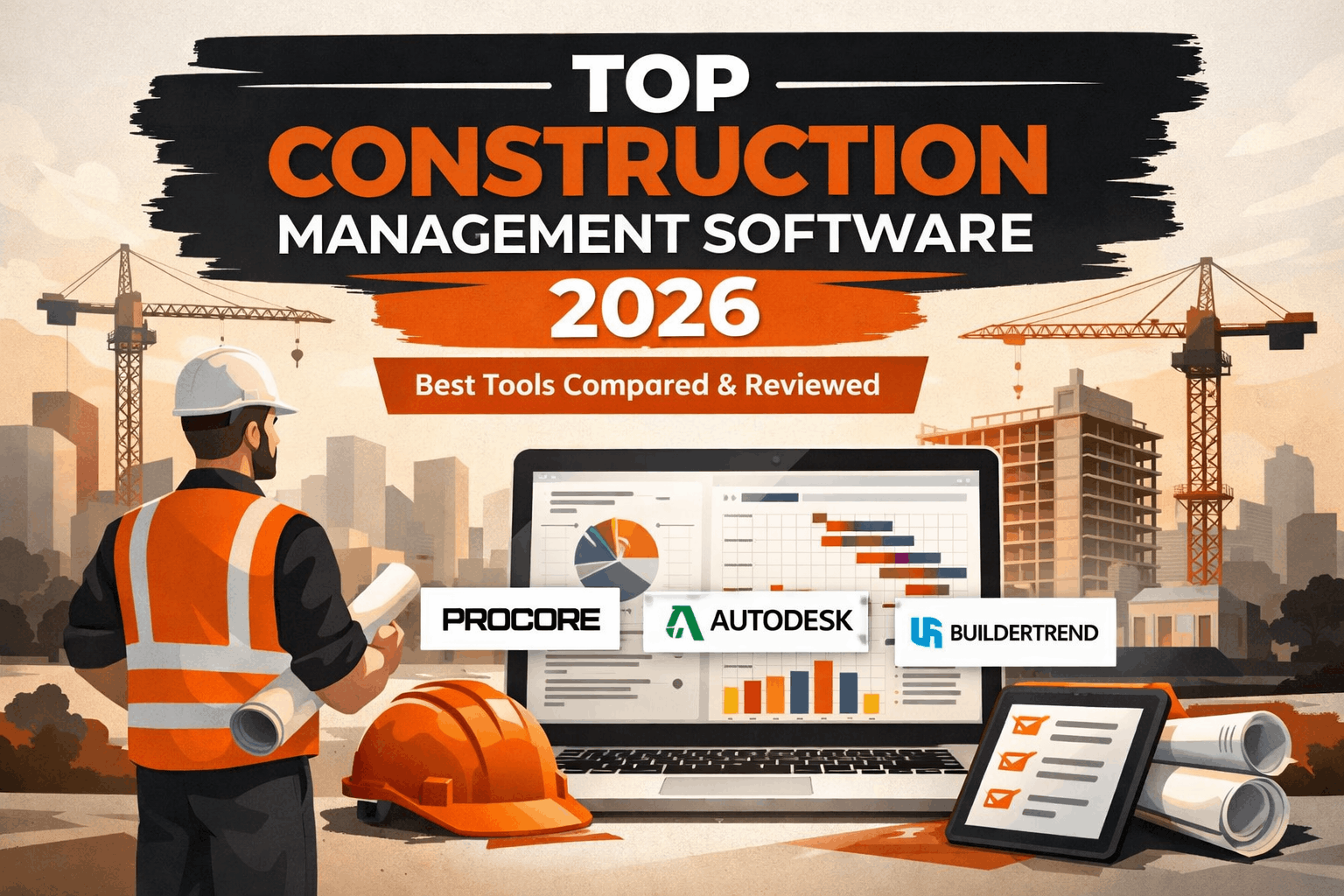
In this guide, we compare the top construction management software for 2026. We also explain what features matter most and how to choose the right tool for your workflow. If your work involves permitting, approvals, or coordination, this guide will help you make a better decision.
What Is Construction Management Software?
Construction management software is a digital tool that helps teams plan, track, and manage projects. Instead of using spreadsheets and emails, teams can work from one central system.
This improves communication and reduces errors. It also makes it easier to track progress in real time.
Simple Definition for Contractors and Consultants
In simple terms, construction management software is a platform that keeps your project organized from start to finish.
It helps you manage:
- Project schedules
- Budgets and costs
- Documents and drawings
- Team communication
- Permits and approvals
For consultants like JDJ Consulting, this type of software is especially useful. It keeps all compliance documents in one place. It also helps track approval timelines and requirements.
Without a system like this, important details can get lost. That often leads to delays or costly mistakes.
Key Functions of Construction Software
Most construction platforms offer a similar set of core features. However, the depth of these features can vary.
Here are the main functions you will find:
- Project scheduling
Plan timelines and assign tasks. Teams can see what needs to be done and when. - Cost tracking and budgeting
Monitor expenses in real time. This helps avoid budget overruns. - Document management
Store drawings, contracts, and permits in one place. Everyone works from the latest version. - RFIs and submittals
Track requests and approvals. This is critical for compliance and coordination. - Field collaboration
Field teams can update progress from mobile devices. Office teams see updates instantly.
These features help reduce confusion. They also improve accountability across teams.
Why Construction Firms Are Moving to Digital Tools
Many firms are moving away from manual processes. There are a few clear reasons for this shift.
- First, projects are more complex now. There are more stakeholders, more documents, and tighter timelines. Manual systems cannot keep up.
- Second, clients expect faster updates. They want clear progress reports and better transparency.
- Third, compliance requirements are stricter. Missing a permit or document can delay the entire project.
Because of this, digital tools are becoming standard in the industry.
Here is a quick comparison of manual vs. software-based workflows:
| Process Area | Manual Approach | Software-Based Approach |
|---|---|---|
| Scheduling | Spreadsheets | Real-time dashboards |
| Document Storage | Email and folders | Centralized cloud system |
| Communication | Calls and emails | In-app updates |
| Compliance Tracking | Manual logs | Automated tracking |
| Error Risk | High | Lower |
As you can see, software reduces risk and improves efficiency.
Why Choosing the Right Construction Software Matters
Choosing the right software is not just about features. It directly affects how your projects perform. The wrong system can slow your team down. On the other hand, the right tool can improve coordination and reduce delays.
Impact on Project Timelines and Budgets
Construction projects often face delays. These delays usually come from poor communication or missing information.
Good software helps prevent this.
For example:
- Teams can see updates in real time
- Tasks are clearly assigned
- Changes are tracked automatically
This keeps everyone on the same page. Cost control also improves. You can track expenses as they happen. If something goes over budget, you can act quickly. Over time, this leads to more predictable project outcomes.
Role in Permitting and Compliance
Permitting is a key part of many projects. However, it is often one of the most complex steps. There are multiple approvals, documents, and deadlines to manage.
Construction software helps by:
- Storing all permit documents in one place
- Tracking approval status
- Sending reminders for deadlines
- Keeping records for compliance
For firms working with JDJ Consulting, this is especially important. Many projects require detailed coordination with local authorities. Without proper tracking, approvals can be delayed. That can stop the entire project.
Risks of Choosing the Wrong Platform
Not all software fits every business. Choosing the wrong one can create new problems.
Here are some common issues:
- Low team adoption
If the tool is hard to use, teams may avoid it. - Limited features
Some tools lack key functions like compliance tracking. - Poor integration
The software may not connect with your other systems. - High costs with low value
Expensive tools do not always deliver better results.
Because of this, it is important to choose carefully. You should match the software to your project needs, not just pick the most popular option.
Key Features to Look for in Construction Management Software
Not all construction software offers the same value. Some tools are simple. Others are more advanced. To make the right choice, you need to focus on the features that matter most for your work.
Core Features Every Platform Should Have
Every good construction management tool should include the basics.
These features support daily operations and keep projects on track:
- Real-time job costing
Track expenses as they happen. This helps control budgets. - Scheduling tools
Create timelines and assign tasks بسهولة. - Mobile access
Field teams can update progress from the job site. - Document management
Store and share files in one place. - Integration support
Connect with accounting and other systems.
These features form the foundation of any reliable platform.
Advanced Features for Large Projects
Larger projects need more advanced tools. These features help manage complexity.
Some key advanced features include:
- BIM integration
Connect design models with project workflows. - Financial forecasting
Predict future costs and risks. - Multi-project dashboards
Manage several projects from one view. - Custom reporting
Generate detailed reports for stakeholders.
These tools are useful for large contractors and complex builds.
Features for Permitting and Entitlement Workflows
If your work involves permits and approvals, you need specific features.
These features help ensure compliance:
- Document tracking
Keep all permits and approvals organized. - Approval workflows
Track each step in the approval process. - Deadline alerts
Avoid missed deadlines. - Compliance reporting
Maintain clear records for audits.
Here is a quick feature comparison based on use case:
| Feature Type | Basic Tools | Advanced Tools |
|---|---|---|
| Scheduling | Yes | Yes |
| Cost Tracking | Basic | Advanced forecasting |
| Document Storage | Yes | Yes + version control |
| Compliance Tracking | Limited | Full workflow tracking |
| Reporting | Standard | Custom dashboards |
Choosing the right mix of features depends on your project type and size.
Top Construction Management Software Compared (2026)
Choosing the right software depends on your project type, team size, and workflow. Some tools are built for large commercial projects. Others work better for small teams or residential jobs.
In this section, we compare the top construction management platforms used in 2026. We focus on what each tool does well, where it may fall short, and who it is best for.
Procore – Best All-in-One Platform for Large Projects
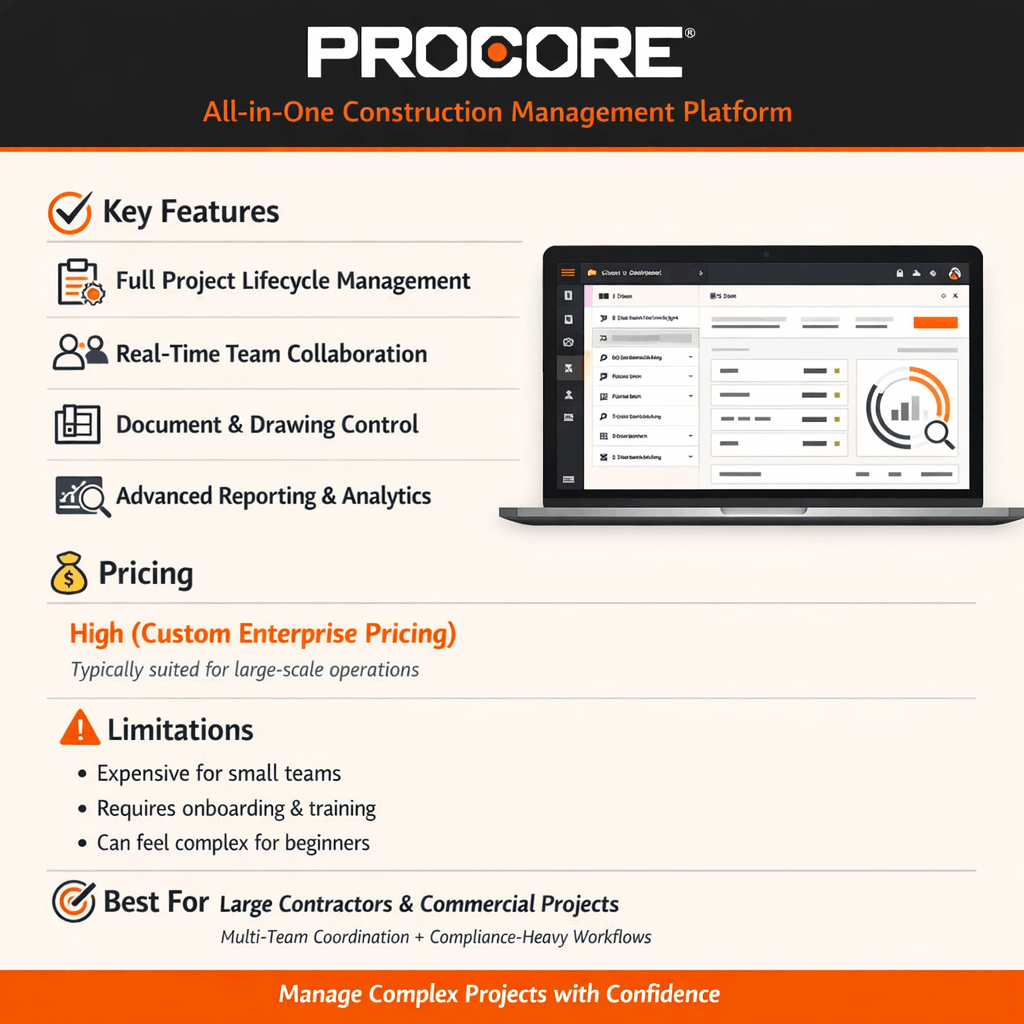
Procore is one of the most widely used platforms in construction. It is designed for large teams and complex projects. It covers the full project lifecycle. This includes preconstruction, execution, and closeout.
Key strengths:
- Strong document control
- Real-time collaboration across teams
- Large integration marketplace
- Detailed reporting tools
Where it fits best:
- Large commercial projects
- General contractors managing multiple teams
- Projects with strict compliance requirements
Things to consider:
- Higher cost compared to other tools
- May feel complex for small teams
Procore works well when you need a complete system. However, smaller firms may find it more than they need.
Autodesk Construction Cloud – Best for Design and BIM Workflows
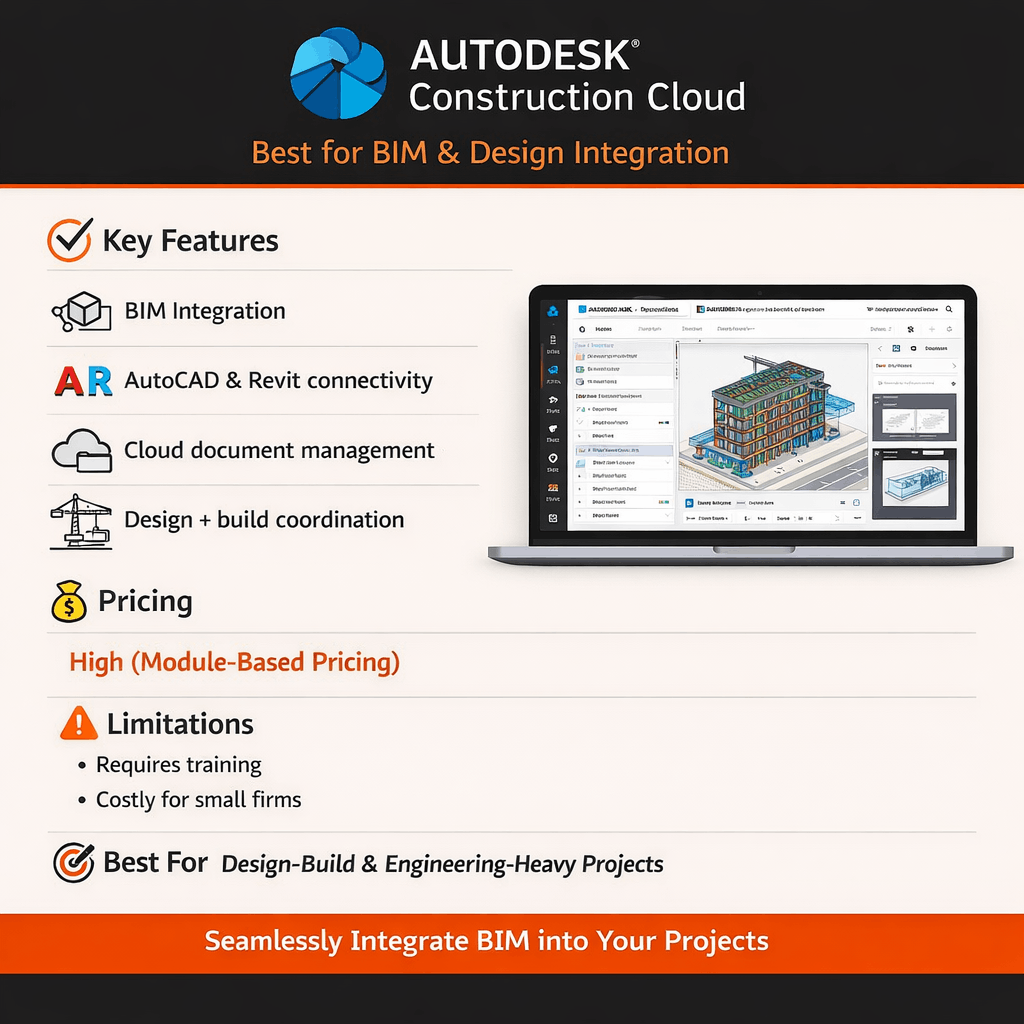
Autodesk Construction Cloud connects design and construction teams. It is especially useful for projects that rely on BIM (Building Information Modeling).
If your team already uses Autodesk tools, this platform fits naturally into your workflow.
Key strengths:
- Strong BIM and design integration
- Seamless connection with AutoCAD and Revit
- Good document management
Where it fits best:
- Design-build projects
- Engineering-focused teams
- Projects with detailed modeling needs
Things to consider:
- Can be expensive
- Requires training for full use
This tool is ideal when design and construction need to stay closely aligned.
Buildertrend – Best for Residential Construction
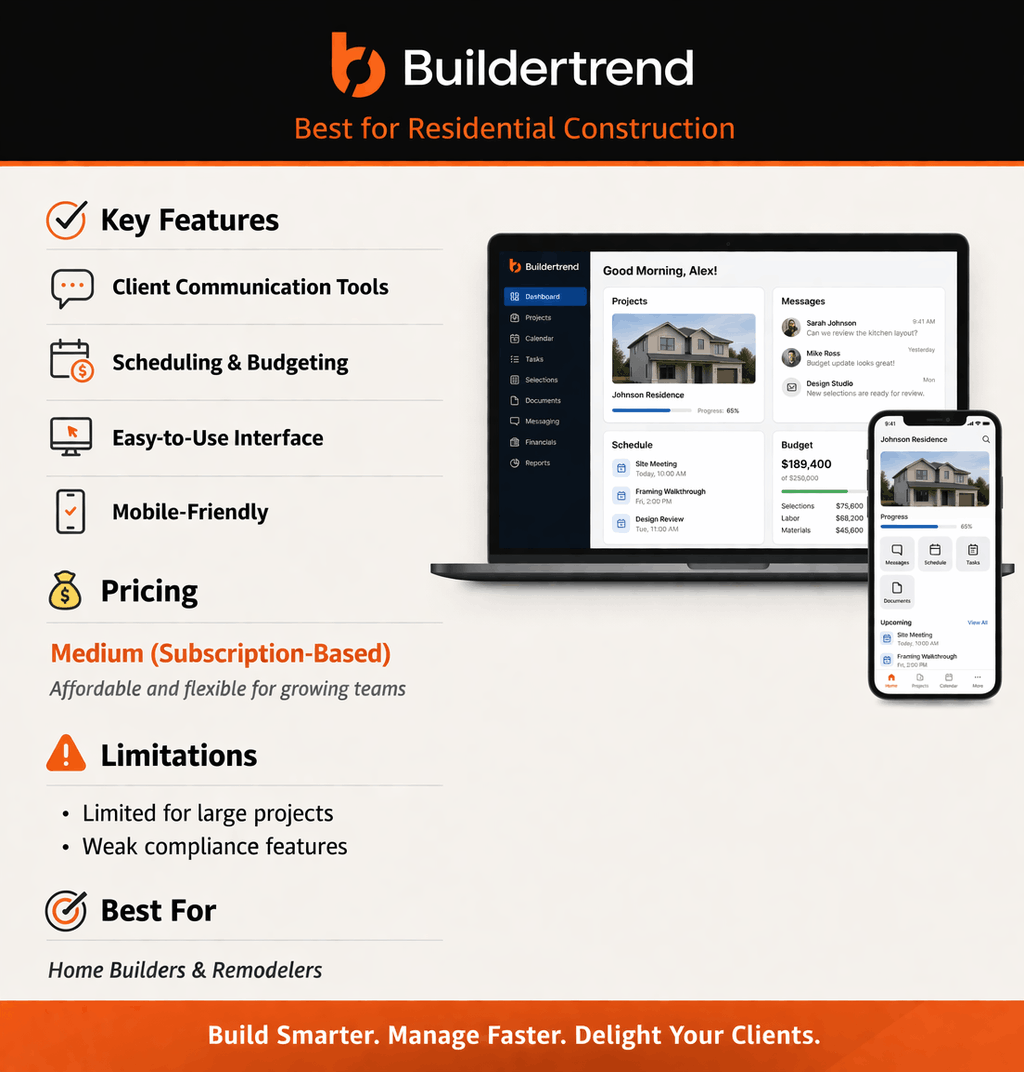
Buildertrend is designed for home builders and remodelers. It combines project management with customer communication tools.
It is simpler than enterprise platforms, which makes it easier to use.
Key strengths:
- User-friendly interface
- Built-in client communication tools
- Scheduling and budgeting features
Where it fits best:
- Residential construction
- Small to mid-size builders
- Remodeling projects
Things to consider:
- Limited features for large commercial work
- Not ideal for complex compliance workflows
Buildertrend is a solid option for teams that focus on residential jobs.
CMiC – Best for Financial and ERP Integration
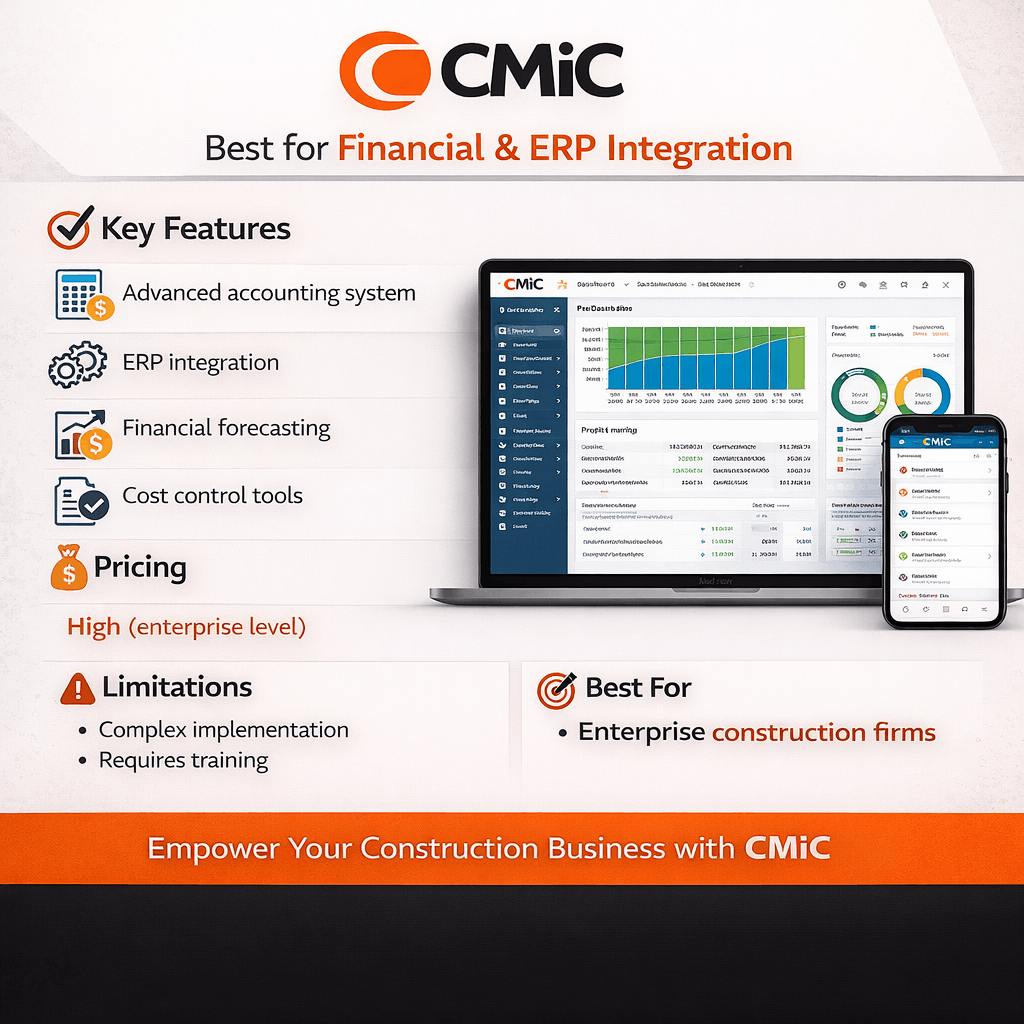
CMiC is known for its strong financial tools. It combines project management with accounting and ERP features. This makes it useful for companies that need detailed cost control.
Key strengths:
- Advanced accounting features
- Strong financial reporting
- Integrated project and finance tools
Where it fits best:
- Large construction firms
- Companies with complex financial structures
- Enterprise-level operations
Things to consider:
- Complex setup
- Requires training
CMiC is a good fit when financial tracking is a top priority.
RedTeam Flex – Best for Full Project Lifecycle Management
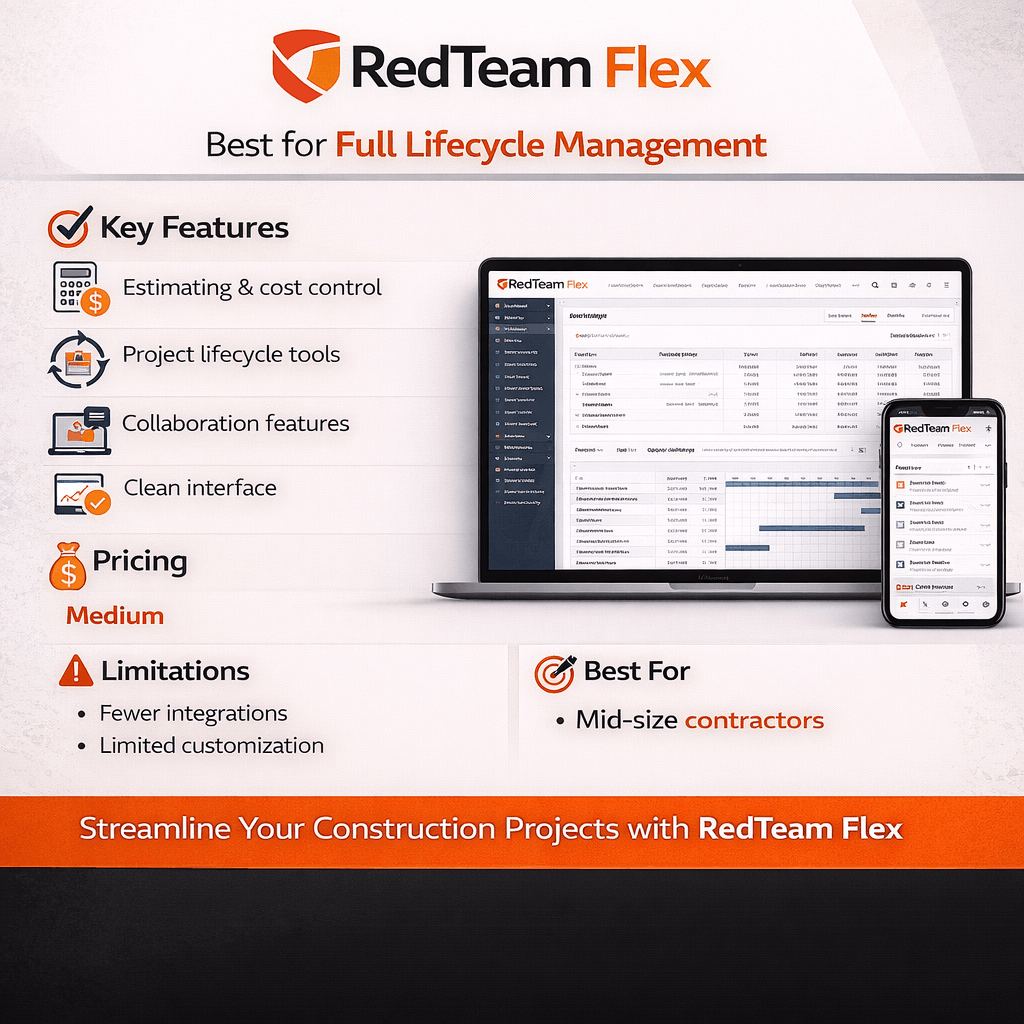
RedTeam Flex offers a balance between ease of use and advanced features. It supports the full construction process, from estimating to project delivery.
Key strengths:
- Estimating and cost control tools
- Strong collaboration features
- Clean interface
Where it fits best:
- Mid-size contractors
- Teams managing multiple projects
- Firms looking for an all-in-one solution
Things to consider:
- Fewer integrations than larger platforms
- Limited customization in some areas
RedTeam Flex works well for growing companies that need structure without too much complexity.
Fieldwire – Best for Field Collaboration
Fieldwire focuses on jobsite teams. It helps field workers manage tasks, share updates, and track progress. It is simple and mobile-friendly.

Key strengths:
- Easy-to-use mobile app
- Task tracking and punch lists
- Blueprint and drawing access
Where it fits best:
- Field teams and supervisors
- Small to mid-size projects
- Teams needing quick updates from site
Things to consider:
- Limited financial tools
- Not a full project management system
Fieldwire is a great add-on tool for field coordination.
Contractor Foreman – Best Budget-Friendly Option
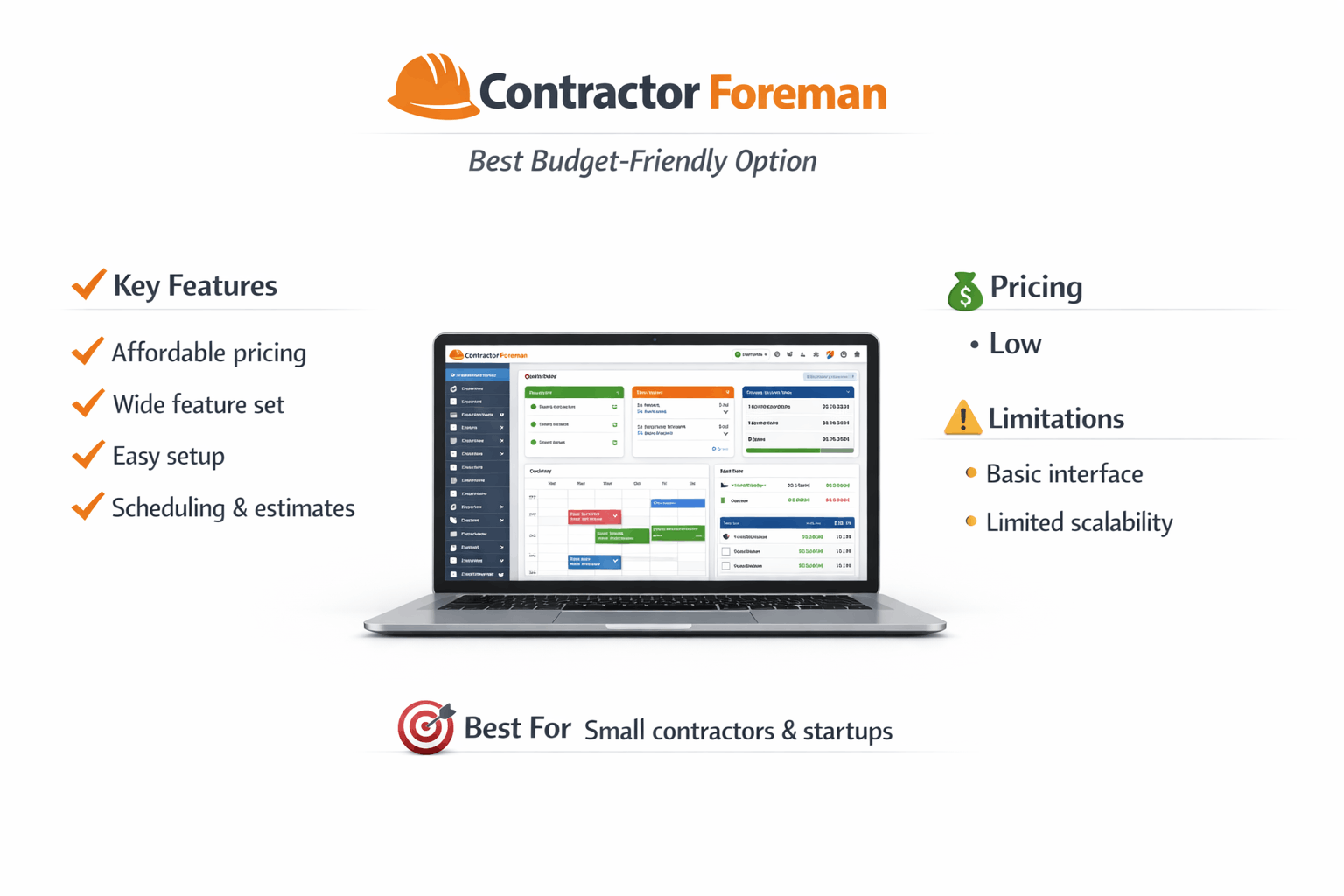
Contractor Foreman is designed for small businesses. It offers many features at a lower cost. This makes it a popular choice for startups and small contractors.
Key strengths:
- Affordable pricing
- Wide range of features
- Easy setup
Where it fits best:
- Small construction companies
- Independent contractors
- Budget-conscious teams
Things to consider:
- Basic interface
- Limited scalability for large projects
It is a practical option if you need a low-cost solution.
Construction Management Software Comparison Table (2026)
To make things easier, here is a side-by-side comparison of the tools discussed above.
| Software | Best For | Key Strength | Pricing Level | Company Size |
|---|---|---|---|---|
| Procore | Large commercial projects | Full project control | High | Enterprise |
| Autodesk Construction Cloud | Design + BIM workflows | Design integration | High | Mid to large |
| Buildertrend | Residential projects | Ease of use | Medium | Small to mid |
| CMiC | Financial management | ERP + accounting | High | Enterprise |
| RedTeam Flex | Full lifecycle management | Balanced features | Medium | Mid-size |
| Fieldwire | Field coordination | Mobile usability | Low to medium | All sizes |
| Contractor Foreman | Budget users | Affordability | Low | Small |
How to Choose the Right Construction Software for Your Business
There is no single “best” software for everyone. The right choice depends on your specific needs. Instead of focusing only on features, think about how your team works.
Based on Company Size
Your company size plays a big role in software selection.
- Small teams
Need simple and affordable tools. Easy setup is important. - Mid-size companies
Need scalability and better reporting. - Large firms
Require advanced features and integrations.
Choosing software that matches your size helps avoid unnecessary complexity.
Based on Project Type
Different projects have different needs.
- Commercial projects
Require strong coordination and compliance tracking - Residential projects
Focus more on scheduling and client communication - Infrastructure projects
Need detailed planning and reporting
The software should match the type of work you handle most often.
Based on Workflow Needs
Every company has its own workflow. This is especially true for firms dealing with permits and approvals.
For example:
- If your projects involve heavy permitting, choose tools with strong document tracking
- If finances are complex, focus on software with accounting features
- If field work is the priority, choose mobile-friendly tools
Here is a quick decision guide:
| Business Need | Recommended Software Type |
|---|---|
| Large commercial builds | Procore or CMiC |
| Design-heavy projects | Autodesk Construction Cloud |
| Residential work | Buildertrend |
| Field coordination | Fieldwire |
| Budget-friendly option | Contractor Foreman |
Construction Software Trends in 2026
Construction technology continues to improve each year. In 2026, the focus is on speed, accuracy, and better coordination.
Many companies are moving away from manual systems. Instead, they are using tools that provide real-time data and better visibility. Here are the key trends shaping construction software today.
Rise of Cloud-Based Platforms
Cloud-based systems are now the standard. Teams no longer rely on local servers or offline files.
With cloud software:
- Teams can access data from anywhere
- Updates happen in real time
- Documents stay consistent across all users
This is especially useful for projects with multiple stakeholders. Everyone works from the same system, which reduces confusion. Cloud tools also improve security. Data is backed up automatically, so there is less risk of losing important files.
AI and Automation in Construction
Automation is becoming more common in construction software. Many tools now include basic AI features.
These features help teams:
- Predict delays based on past data
- Identify cost risks early
- Automate repetitive tasks
For example, some platforms can flag budget issues before they become serious. Others can suggest schedule changes based on project progress.
While these tools are still improving, they already help teams make better decisions.
Mobile-First Construction Management
Field teams rely heavily on mobile devices. Because of this, software providers are focusing more on mobile apps.
With mobile access:
- Site teams can upload updates instantly
- Photos and reports are shared in real time
- Issues can be tracked without delays
This reduces the gap between field and office teams. As a result, decisions are made faster and projects stay on track.
Common Mistakes to Avoid When Selecting Software
Choosing construction software is a big decision. However, many companies make the same mistakes. These mistakes can lead to poor results and wasted time.
Choosing Based Only on Price
It is tempting to pick the cheapest option. However, low-cost tools may lack important features.
This can lead to:
- More manual work
- Limited functionality
- Future upgrades or switching costs
Instead, focus on value. Choose software that fits your needs, even if it costs more upfront.
Ignoring Integration Needs
Construction teams often use multiple tools. These may include accounting systems, design software, or CRM platforms. If your software cannot integrate with these tools, problems can arise.
For example:
- Data may need to be entered twice
- Reports may not match
- Workflows become slower
Always check if the software connects with your existing systems.
Not Considering Team Adoption
Even the best software will fail if your team does not use it.
Common reasons for low adoption include:
- Complex interface
- Lack of training
- Poor user experience
To avoid this, choose a platform that is easy to use. Also, provide proper training to your team.
Overlooking Compliance Features
Many projects require strict compliance. This includes permits, inspections, and approvals. If your software does not support these processes, you may face delays.
Look for tools that offer:
- Document tracking
- Approval workflows
- Deadline reminders
These features are critical for regulated projects.
How JDJ Consulting Helps You Choose the Right Software
Choosing software is not just a technical decision. It also affects your project workflow and compliance process. This is where JDJ Consulting adds value.
Aligning Software with Permitting and Compliance Needs
Many construction tools focus on scheduling and budgeting. However, they often overlook permitting workflows. JDJ Consulting helps bridge this gap.
We help clients:
- Identify software that supports compliance tracking
- Organize permit documentation
- Align workflows with local regulations
This ensures that projects move forward without delays.
Supporting Entitlements and Documentation Workflows
Entitlements can be complex. They involve multiple approvals and detailed documentation.
We help structure your workflow so that:
- Documents are easy to access
- Approval steps are clearly defined
- Deadlines are tracked properly
When your software supports this process, projects become more efficient.
Helping Clients Improve Project Efficiency
Our goal is to simplify project management.
We help clients:
- Choose tools that match their workflow
- Avoid unnecessary complexity
- Improve coordination between teams
This leads to:
- Faster approvals
- Better communication
- Fewer project delays
Final Thoughts: Which Construction Management Software Is Best in 2026?
There is no single software that works for every company. Each tool has its strengths. The best choice depends on your project type, team size, and workflow needs.
Quick Recommendations by Use Case
Here is a simple breakdown to help you decide:
- Large commercial projects
Procore or CMiC work best due to their advanced features - Design-heavy projects
Autodesk Construction Cloud is a strong option - Residential construction
Buildertrend offers simple and effective tools - Field-focused teams
Fieldwire helps improve jobsite coordination - Small businesses or startups
Contractor Foreman provides good value at a lower cost
Key Takeaway
The right software should support your workflow, not complicate it.
Before making a decision:
- Review your project needs
- Consider your team size
- Focus on compliance requirements
When these factors align, software becomes a tool that improves performance rather than adding extra work.
Need Help Choosing the Right Software?
Picking the right tool can be confusing. We can help you choose what actually fits your projects and permitting needs.
Let’s keep your projects simple and on track.