Construction projects involve more than design and building work. Before work can begin, teams must get approval from local agencies. These approvals usually come in the form of permits.
Most construction projects need several permits. Each permit has its own application steps, documents, deadlines, and inspections. Managing all this by hand can be difficult, especially when teams handle many projects at the same time.
Because of this, many construction teams now use permit tracking software. This software helps teams track permit applications, approval stages, and deadlines.
Instead of searching through emails or folders, teams can quickly check the status of each permit. This saves time, keeps information organized, and helps reduce project delays.
In this guide, we explain what permit tracking software is and why it matters in construction. Likewise, we explain how it helps teams manage permits more efficiently.
Introduction to Permit Tracking in Construction
Permits are a normal part of construction. Cities and counties require them to make sure projects follow safety rules, building codes, and zoning laws.
However, the permit process is rarely simple. Each permit requires paperwork, drawings, approvals, and inspections. Many projects also require permits from multiple departments.
Because of this, tracking permits is an important part of project management.
Why Permits Are Required in Construction
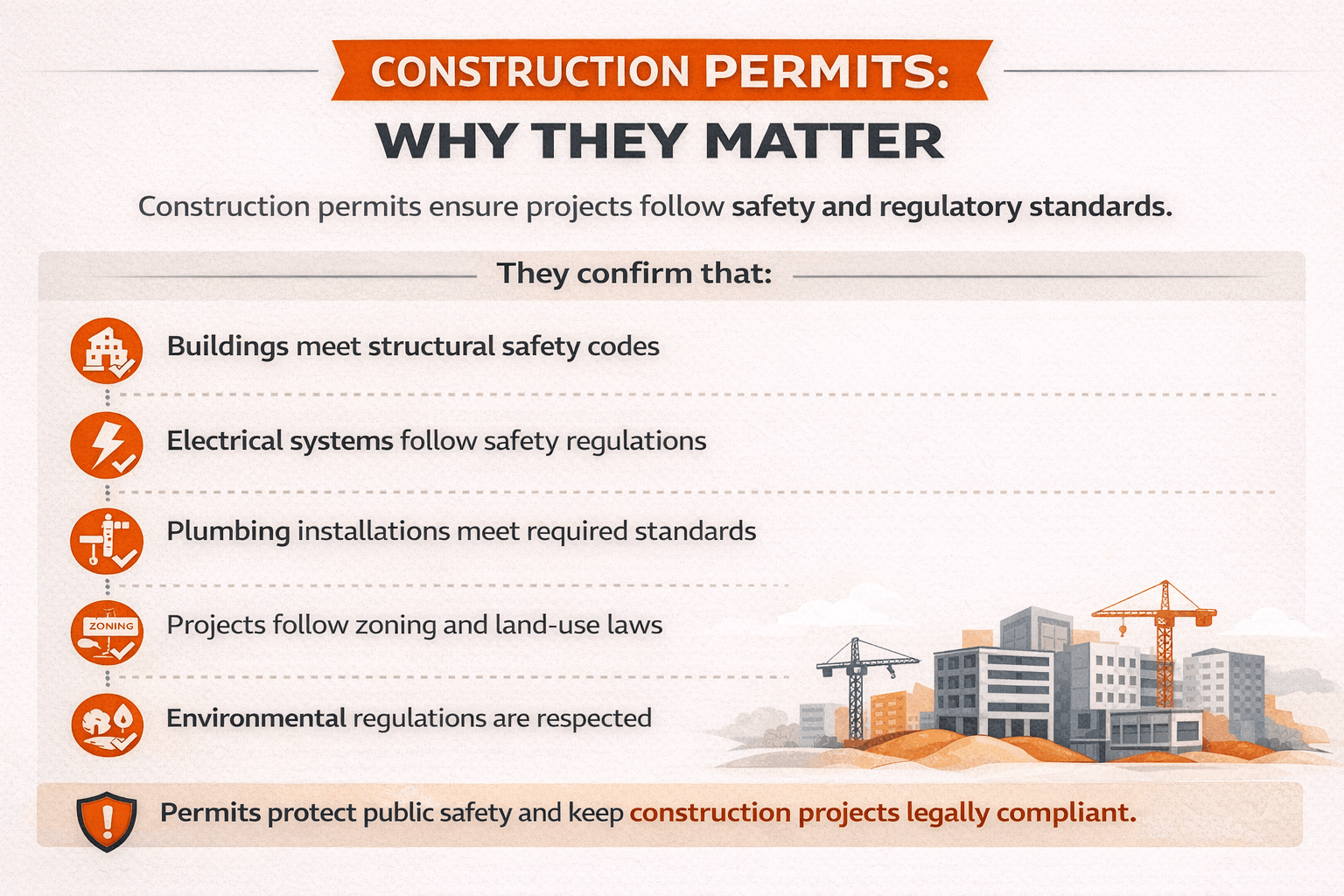
Local governments require permits to protect public safety and ensure buildings meet regulations.
Permits confirm that:
Structures follow building codes
Electrical systems meet safety standards
Plumbing systems are properly designed
Construction meets zoning rules
Environmental regulations are followed
Without permits, projects may face serious problems.
For example:
Work may be stopped by inspectors
Contractors may receive fines
Project timelines may be delayed
Insurance claims may become complicated
Because of these risks, contractors and developers must track permits carefully from the beginning of a project.
The Growing Complexity of Construction Permits
Construction permits have become more complex over time. Regulations now involve many different departments and review stages.
A typical commercial project might require permits such as:
Building permits
Electrical permits
Mechanical permits
Plumbing permits
Fire safety permits
Sign permits
Environmental approvals
Each permit follows a different review process. Some may require plan revisions or inspections before approval. The more complex the project, the more permits teams must manage. This creates a challenge for project managers and compliance teams.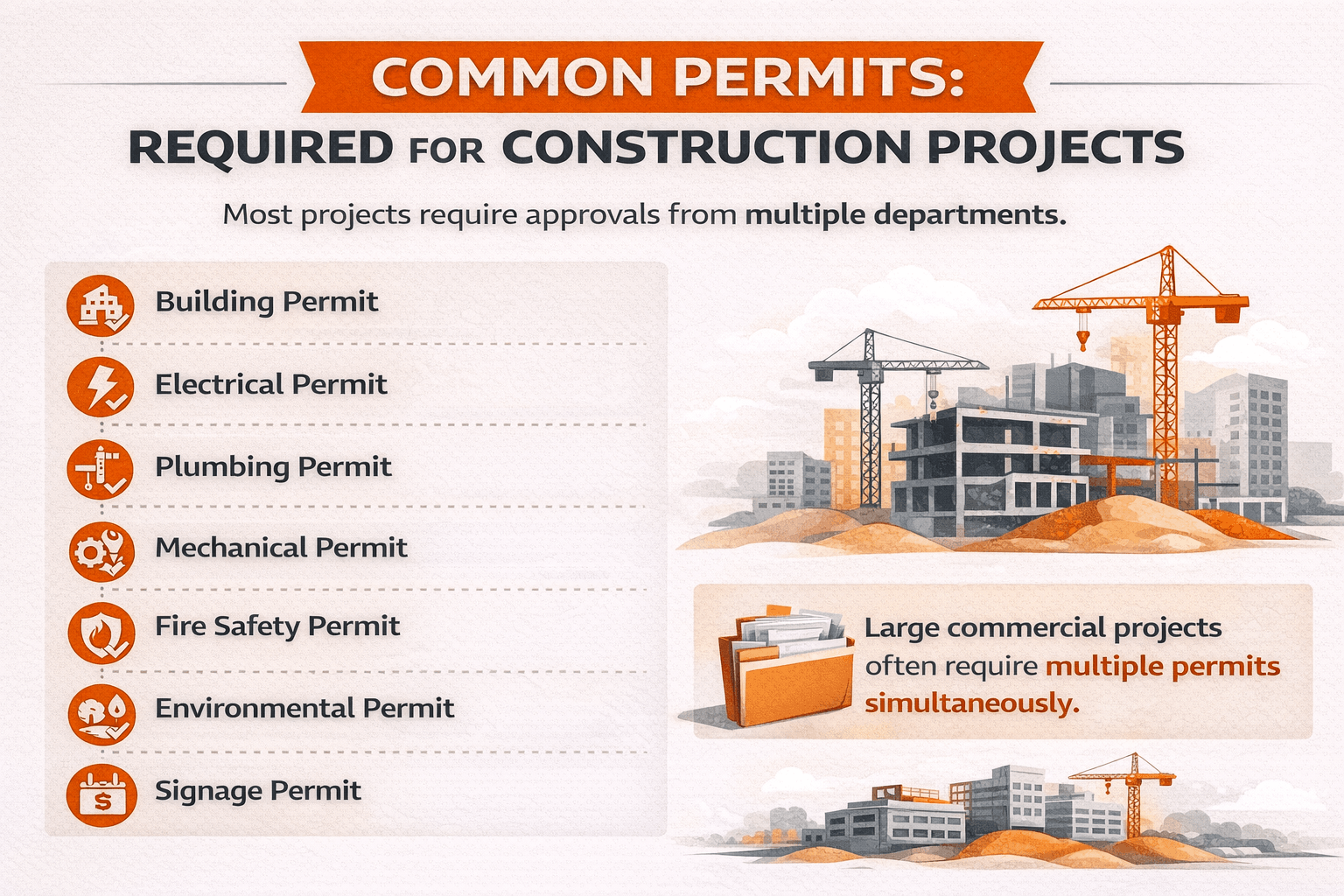
Why Manual Permit Tracking Creates Problems
Many construction teams still track permits using spreadsheets or email folders. While this may work for small projects, it quickly becomes difficult on larger jobs.
Manual tracking often leads to common problems such as:
Missing documents
Lost approval emails
Missed deadlines
Confusion about permit status
Duplicate submissions
For example, a project manager may think a permit has been approved. Later, they discover the city requested revisions weeks earlier. These kinds of delays can stop construction progress.
The table below shows how manual permit tracking compares with a digital system.
| Tracking Method | Common Issues | Impact on Projects |
|---|---|---|
| Spreadsheets | Hard to update and share | Information becomes outdated |
| Email threads | Documents get buried | Teams miss important updates |
| Paper files | Difficult to access remotely | Slower coordination |
| Manual reminders | Deadlines often missed | Permit approvals delayed |
Because of these challenges, many companies now adopt digital tools to manage permits more efficiently. This is where permit tracking software becomes valuable.
What Is Permit Tracking Software?
Permit tracking software is a digital tool to help construction teams manage permit applications. Instead of using many spreadsheets or long email threads, the software keeps all permit details in one place.
Project teams can track each permit from submission to final approval. They can also store important documents, follow review stages, and receive updates when the status changes. This makes the process clearer and helps teams stay on the same page.
Definition of Permit Tracking Software
Permit tracking software is a project management tool. It helps teams track the status of construction permits and required approvals from local agencies.
The system helps teams track:
Permit applications
Review stages
Required documents
Approval timelines
Inspection schedules
It also records communication between project teams and permitting authorities. Because all information is stored in one place, teams can easily see the current status of each permit.
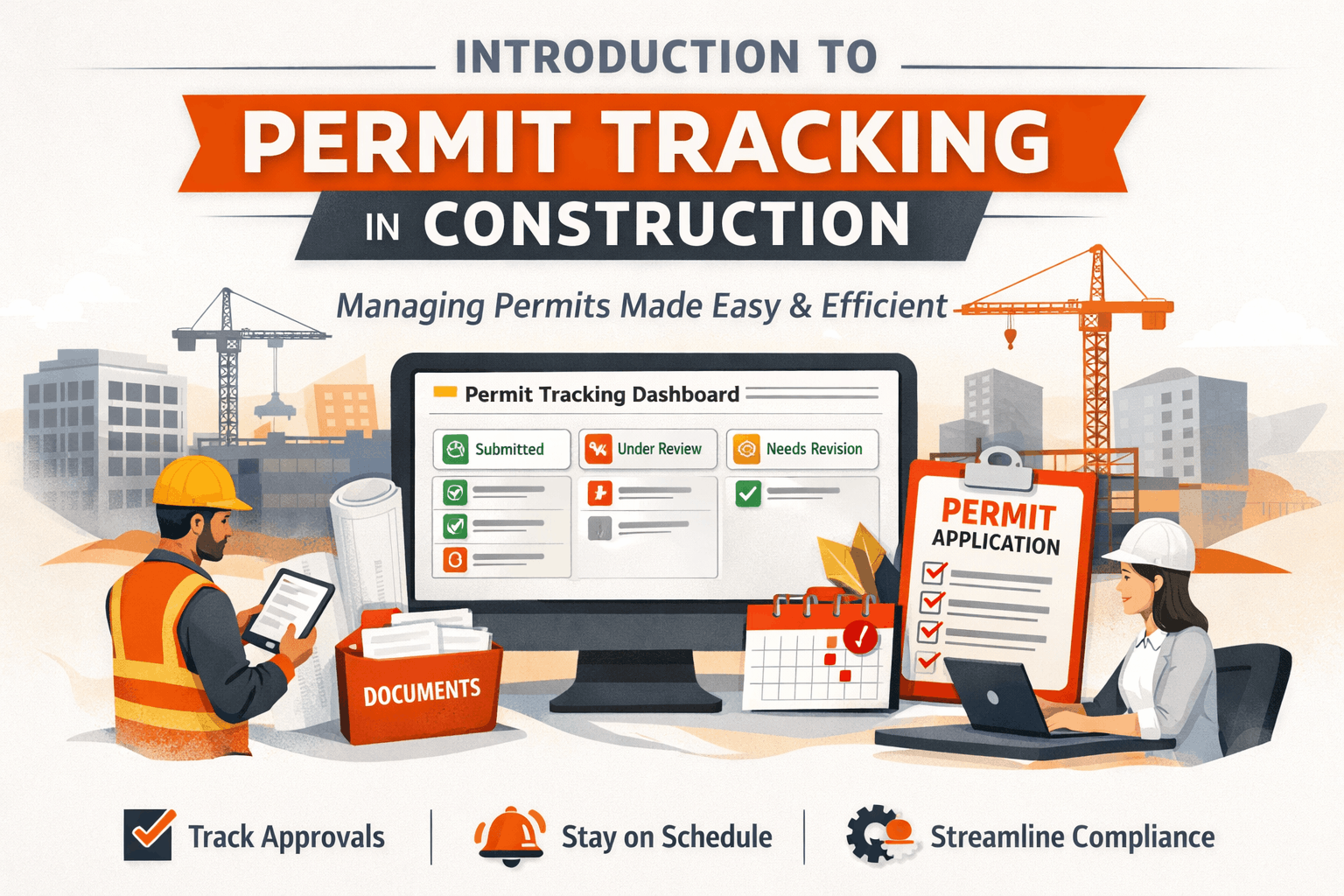
For example, a dashboard may show:
Permits submitted
Permits under review
Permits awaiting revisions
Approved permits
This visibility helps teams plan work more accurately.
Permit Tracking vs Permit Management Software
Some people use the terms permit tracking software and permit management software interchangeably. While they are related, they serve slightly different roles.
Permit tracking software mainly focuses on monitoring permit progress. Permit management software often includes a wider range of features.
The table below explains the difference.
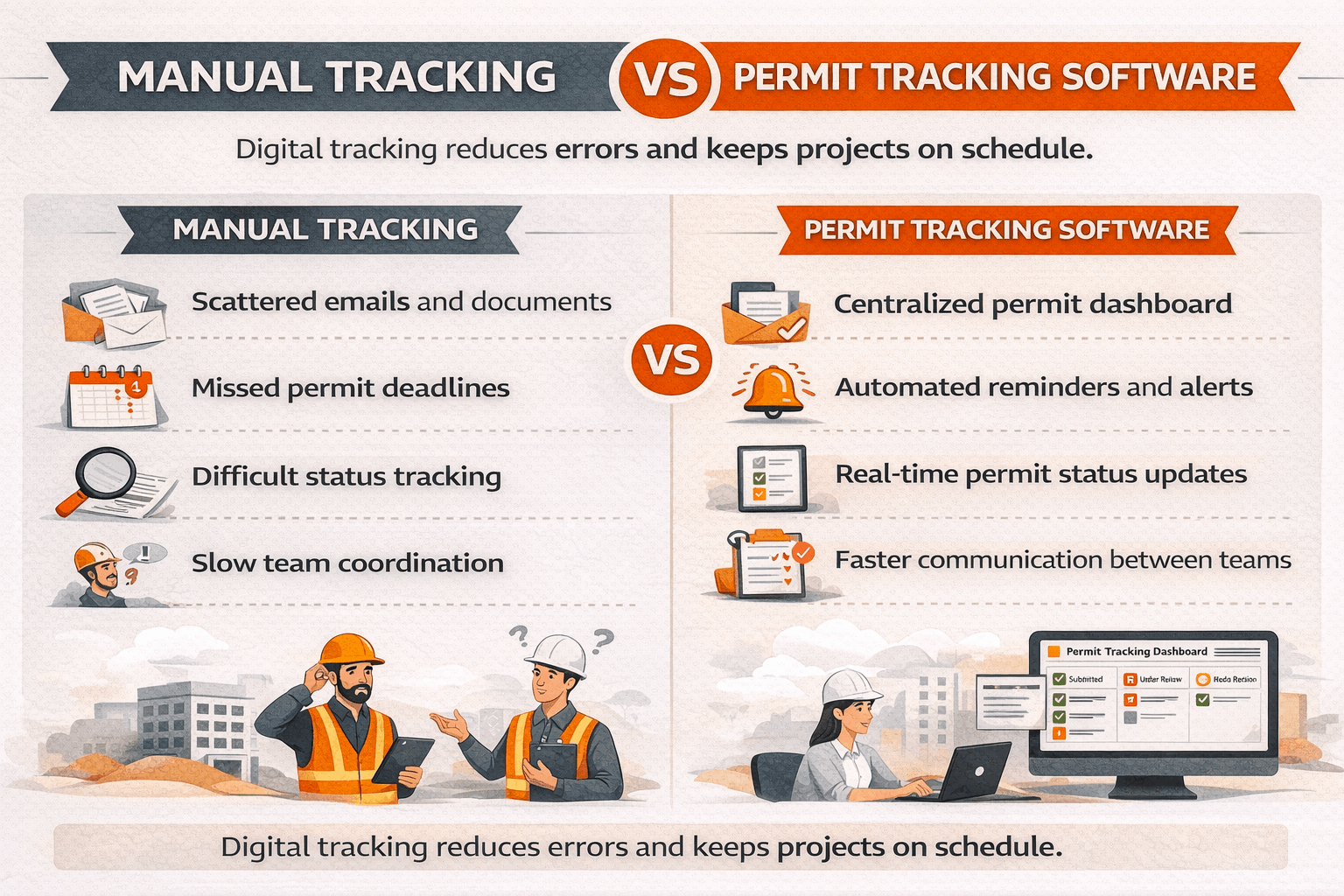 Many modern platforms combine both functions. They allow teams to track permits while also managing documents and approval workflows.
Why Construction Teams Use Permit Tracking Software
Construction projects move quickly. Delays in permits can affect multiple phases of work. Permit tracking software helps teams stay organized by providing:
A clear view of permit progress
Automated reminders for deadlines
Easy access to important documents
Better communication between stakeholders
Instead of relying on memory or manual updates, the system tracks everything automatically. This makes it easier for teams to stay on schedule and avoid compliance problems.
Why Permit Tracking Matters in Construction Projects
Permit tracking plays a major role in construction planning. Without clear visibility into permit status, teams may schedule work that cannot legally begin. When permits are delayed or incomplete, projects often slow down. Proper permit tracking helps teams avoid these problems.
Construction Projects Require Multiple Permits
Most construction projects require permits from several departments. Each permit covers a different part of the work.
Common construction permits include:
Building permits
Electrical permits
Plumbing permits
Mechanical permits
Fire system permits
Signage permits
Each permit has its own requirements and approval process.
Some permits require:
Engineering drawings
Safety documentation
Environmental reports
Inspection approvals
Tracking all of these requirements manually becomes difficult as projects grow larger.
Manual Permit Tracking Causes Delays
When teams rely on spreadsheets or emails, it becomes harder to track permit progress accurately. Several problems often occur:
Teams may not know the current approval stage
Review comments may be overlooked
Documents may be submitted late
Permit revisions may be delayed
Regulatory Compliance Challenges
Construction projects must follow strict regulations. Local governments set these rules to protect safety and guide proper development.
However, compliance rules can change based on several factors:
Project location
Type of building
Environmental conditions
Permit tracking software helps teams manage these requirements. It keeps approvals, permits, and documents organized in one place.
This lowers the risk of:
Compliance violations
Failed inspections
Project shutdowns
When permit records are clear and easy to access, teams can respond faster to requests from regulators. As a result, projects move forward with fewer delays.
How Permit Tracking Software Works
Permit tracking software keeps the entire permit process in one system. It helps construction teams follow each step from application to approval. Most platforms use a clear workflow that matches the permit process used by cities and regulatory agencies.
Instead of relying on scattered emails, teams can track permits through dashboards and automated updates. This process usually moves through several stages.
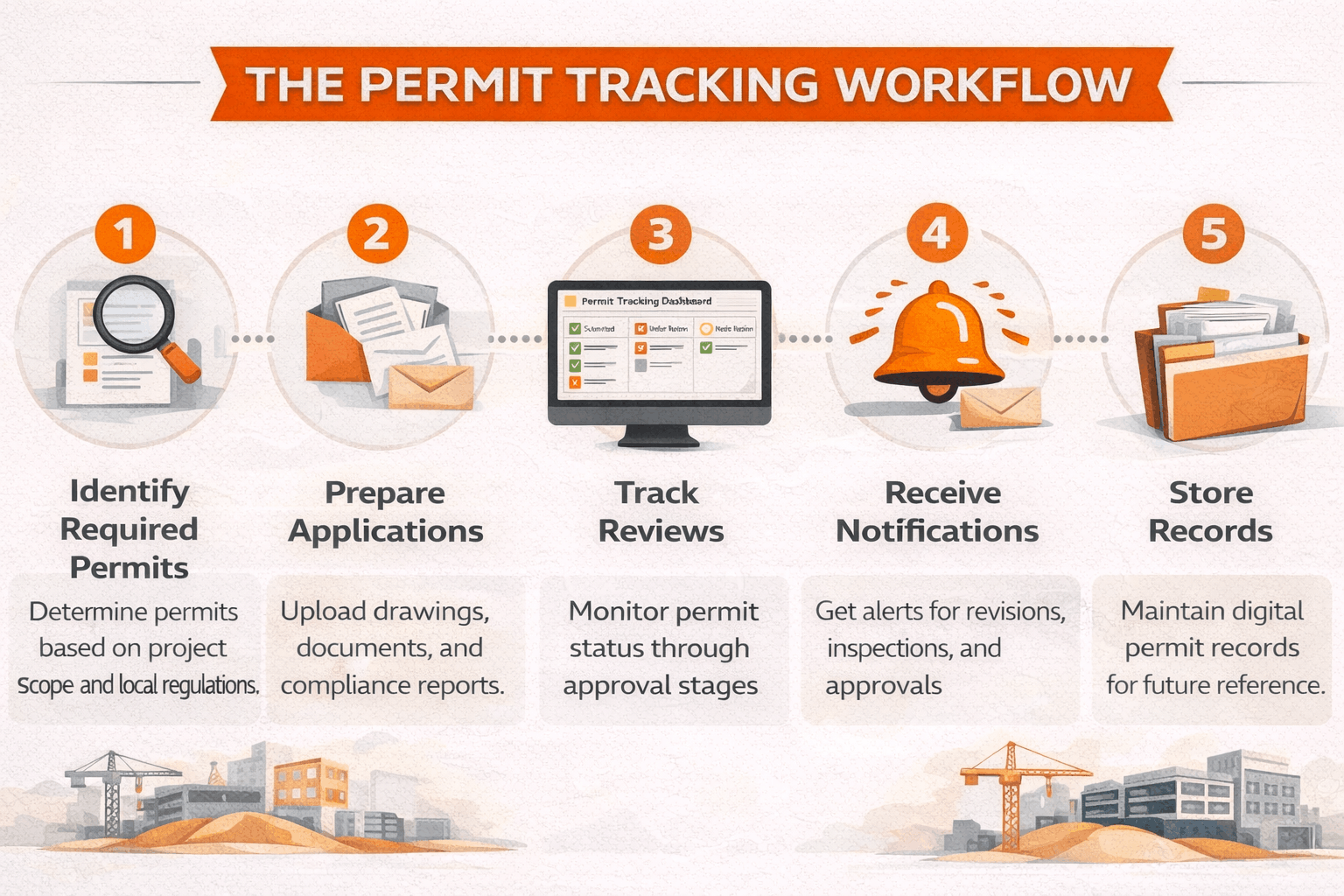
Step 1: Identify Required Permits
The first step is identifying which permits the project needs. Permit requirements depend on several factors, such as:
Project location
Type of building
Scope of work
Local zoning regulations
For example, a commercial building project may require permits for:
Building construction
Electrical systems
Mechanical equipment
Plumbing installations
Fire protection systems
Permit tracking software helps teams organize these requirements early in the planning stage. Some platforms also store local regulation data. This helps project teams understand what permits they may need before construction starts.
When teams identify permits early, they can plan submissions and inspections more efficiently.
Step 2: Prepare Permit Applications and Documents
After identifying required permits, teams must prepare application materials. Permit applications often require detailed documents, such as:
Architectural drawings
Engineering plans
Site plans
Environmental reports
Compliance documents
Managing these files manually can become difficult. This is especially true when several departments request revisions. Permit tracking software helps by storing all documents in one place.
Teams can upload and organize files such as:
Construction plans
Permit forms
Review comments
Inspection reports
Because everything stays in one system, teams can quickly find the correct file. This reduces confusion and helps avoid delays during the permit review process.
Step 3: Track Submission and Review Stages
After submission, permits move through several review stages. Permit tracking software lets teams monitor each stage in real time.
Typical stages include:
Application submitted
Initial review by the permitting office
Technical department review
Revision requests
Final approval
Permit issued
Each stage may involve several departments. For example, a building permit may require review from:
Planning department
Fire safety office
Engineering division
Environmental department
Permit tracking dashboards show the current status of each permit. Project managers can quickly see whether a permit is:
Pending review
Waiting for revisions
Approved
Ready for inspection
This visibility helps teams plan schedules more effectively.

Step 4: Receive Status Updates and Notifications
One major benefit of permit tracking software is automated updates. Instead of checking permit status manually, the system sends alerts when something changes.
Notifications may include:
Review comments from city departments
Requests for additional documents
Upcoming inspection deadlines
Permit approvals
These alerts help teams respond quickly. For example, if a city reviewer requests a drawing revision, the team can update the file right away. This prevents long delays in the approval process.
Step 5: Store Permit Records and Documentation
Construction projects often require permit records even after the project is complete. Permit tracking software stores these records for future reference.
These records may include:
Approved permits
Inspection results
Certificates of occupancy
Compliance reports
Having organized records helps when:
Selling a property
Completing audits
Planning facility upgrades
Responding to regulatory questions
Because records are stored digitally, teams can access them quickly without searching through physical files.
Key Features of Permit Tracking Software
Permit tracking software includes several features that help construction teams stay organized and follow local rules. These tools make permit management easier and give teams a clearer view of project progress.
Centralized Permit Dashboard
A centralized dashboard gives teams a quick view of all permits for a project. Project managers can easily check:
Permit status
Review stages
Approval deadlines
Required actions
Instead of opening many spreadsheets or documents, teams can see permit activity in one place. This improves communication across the project team. For example, if a permit is still under review, the team can adjust the construction schedule.
Document Management System
Construction permits require many documents. Permit tracking software includes tools that help teams store and organize these files.
Common documents stored in the system include:
Permit applications
Construction drawings
Engineering reports
Inspection results
Approval letters
These files stay available to project teams, consultants, and compliance staff. Keeping documents in one system also lowers the risk of losing important files.
Automated Alerts and Notifications
Permit deadlines and review comments are easy to miss when tracked by hand. Permit tracking software solves this problem with automatic alerts.
Typical alerts include:
Permit submission deadlines
Review comments from regulators
Inspection reminders
Permit expiration warnings
These alerts help teams stay on schedule. For example, if a permit is close to expiring, the system can send a reminder so the team can renew it before work stops.
Workflow Automation
Many permit tracking systems include automated workflows. These workflows guide permits through each step of the review process.
Automation can handle tasks such as:
Sending documents to reviewers
Assigning tasks to team members
Updating permit status automatically
Recording approval milestones
Automation reduces manual work and helps prevent errors. The system keeps permit records updated without constant manual changes.
Compliance Monitoring
Construction rules can vary between cities and regions. Permit tracking software helps teams follow these requirements.
The system tracks permit conditions and inspection needs. This helps teams monitor:
Safety regulations
Building code requirements
Inspection timelines
Environmental rules
When compliance steps are clearly tracked, teams are less likely to miss important requirements.
Benefits of Permit Tracking Software for Construction Teams
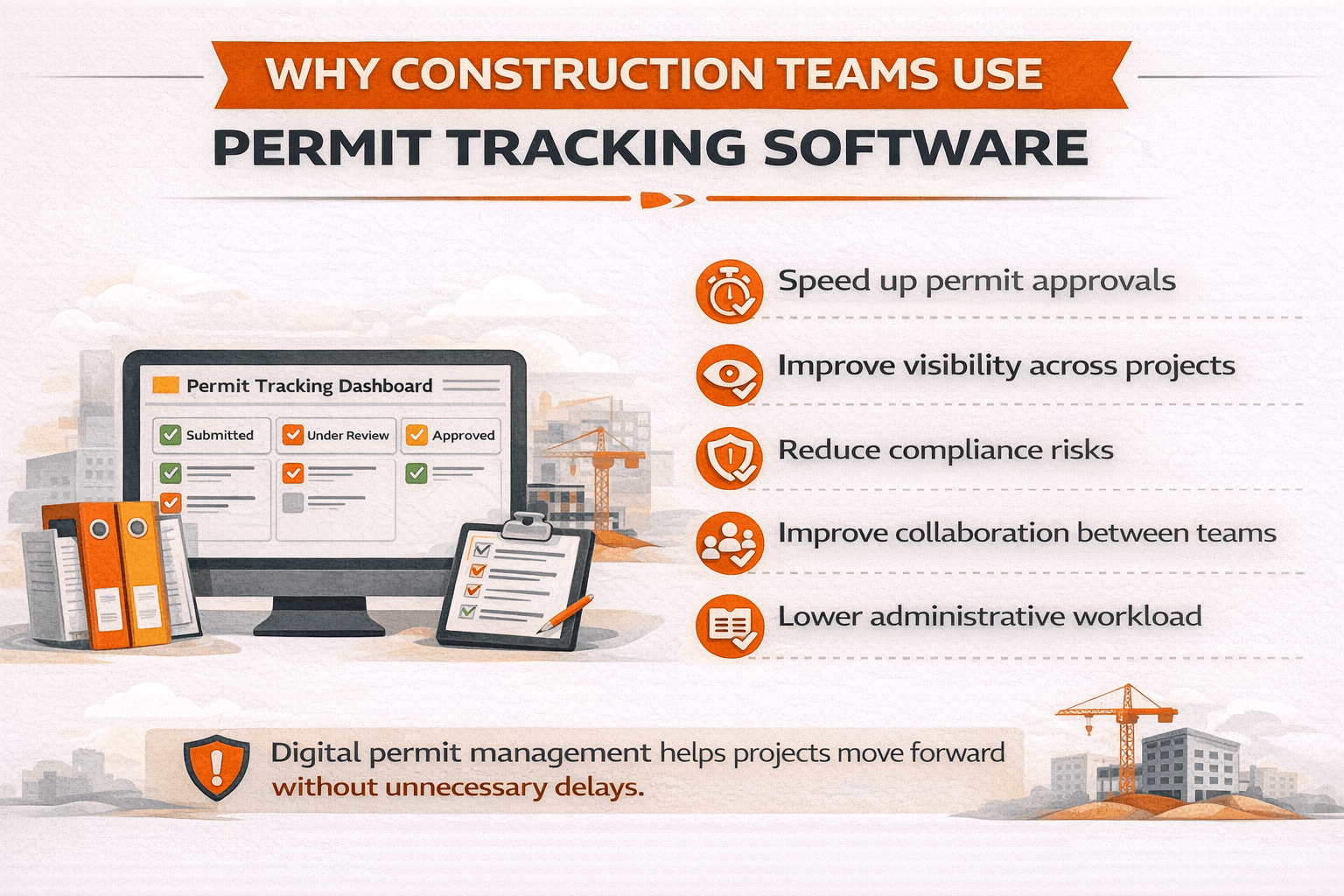
Permit tracking software offers several advantages for construction companies and project managers. It helps teams stay organized, improve efficiency, and reduce regulatory risks.
Faster Permit Approvals
Permit tracking systems streamline the application process. Because documents and forms are organized, teams can submit complete applications more quickly.
This reduces delays caused by:
Missing documents
Incomplete forms
Unclear communication
When reviewers receive accurate information the first time, permits often move through the approval process faster.
Improved Project Visibility
Permit tracking software provides real-time visibility into permit status.
Project managers can easily see:
Which permits are approved
Which permits are under review
Which permits require revisions
This information helps teams plan construction schedules more effectively. For example, if a plumbing permit is still pending, managers can adjust work schedules to avoid delays.
Reduced Compliance Risks
Regulatory compliance is a major concern in construction projects. Permit tracking software helps reduce compliance risks by organizing all permit information in one place.
This ensures that teams follow proper procedures, including:
Submitting required documents
Completing inspections
Meeting regulatory deadlines
Better recordkeeping also helps during audits or regulatory reviews.
Better Collaboration Across Teams
Construction projects involve many stakeholders.
These may include:
Contractors
Engineers
Architects
Developers
Permit consultants
Permit tracking software allows all stakeholders to access the same information. Because everyone works from the same system, communication becomes easier and misunderstandings are reduced.
Lower Administrative Workload
Managing permits manually requires significant administrative effort. Teams must update spreadsheets, track emails, and manage document folders.
Permit tracking software reduces this workload through automation. Tasks such as status updates, reminders, and document storage are handled automatically.
The table below summarizes the main benefits.
| Benefit | How It Helps Construction Teams |
|---|---|
| Faster approvals | Reduces delays caused by incomplete applications |
| Better visibility | Teams can see permit status instantly |
| Compliance support | Helps track regulations and inspections |
| Improved collaboration | Stakeholders access shared permit data |
| Lower administrative work | Automation reduces manual tracking |
As construction projects become more complex, digital tools like permit tracking software help teams manage compliance more efficiently.
Types of Permit Tracking Software Used in Construction
Permit tracking tools are not all the same. Different platforms serve different needs depending on the size of the company, the number of projects, and the level of compliance required.
Some tools focus only on permit monitoring, while others are part of larger construction management systems. Understanding the main types of permit tracking software helps construction teams choose the right solution.
Cloud-Based Permit Tracking Systems
Cloud-based permit tracking software stores all data online. Teams can access the system from any location using a web browser. This type of system is now the most common in the construction industry.
Because the platform is hosted online, project teams can view permit information without installing special software on local computers.
Key benefits include:
Access from multiple job sites
Real-time updates across teams
Easier document sharing
Automatic data backups
For example, if a permit reviewer requests revisions, the update appears instantly in the system. Project managers and engineers can respond quickly without waiting for email updates. Cloud systems are especially useful for companies that manage projects across different cities or states.
Government Permitting Platforms
Many cities and counties now operate digital permitting portals. These platforms allow contractors to submit permit applications online.
Government permitting systems typically allow users to:
Submit permit applications
Upload construction drawings
Track permit reviews
Schedule inspections
Receive approval notices
These systems are designed mainly for regulators, but construction teams often interact with them during the permit process.
Because each city may use a different platform, construction teams must track information across several portals. Permit tracking software helps organize updates from these different sources.
This makes it easier to monitor permits across multiple jurisdictions.
Construction Management Software with Permit Tracking
Some construction management platforms include permit tracking as one feature among many project management tools.
These systems combine permit monitoring with other construction workflows such as:
Project scheduling
Document management
Budget tracking
Inspection management
This integrated approach helps project managers coordinate permitting with other phases of the project. For example, construction schedules may depend on permit approvals. If a permit is delayed, the project timeline can be adjusted quickly.
The table below compares common types of permit tracking solutions.
| Software Type | Primary Use | Best For |
|---|---|---|
| Cloud permit tracking tools | Monitor permits and documents | Contractors managing multiple projects |
| Government permit portals | Submit applications to agencies | Contractors interacting with city permitting offices |
| Construction management platforms | Manage projects and permits together | Large construction firms and developers |
Choosing the right system depends on the complexity of the project and the number of permits involved.
Who Uses Permit Tracking Software?
Permit tracking software supports many professionals across the construction and development industry. Because permits affect several stages of a project, different stakeholders rely on accurate permit information.
Construction Companies
Construction companies are among the primary users of permit tracking software. Project managers must ensure that permits are approved before certain phases of construction begin.
Permit tracking tools help construction teams:
Monitor permit approvals
Track review comments
Prepare documents for submission
Schedule inspections
Without proper tracking, construction schedules can easily be disrupted. For example, if a structural permit is delayed, the construction team may not be allowed to begin framing work. Permit tracking systems help managers avoid these problems by providing real-time updates.
Real Estate Developers
Real estate developers often manage large projects that require many permits. These projects may involve multiple buildings, infrastructure work, and environmental approvals.
Developers use permit tracking software to monitor permits across different stages of development. Typical permits developers track include:
Land development approvals
Site planning permits
Utility permits
Environmental permits
Building permits
Because these permits may come from different agencies, centralized tracking becomes essential. Permit software helps developers maintain clear oversight of the entire permitting process.
Architecture and Engineering Firms
Architects and engineers play an important role in the permit process. Their designs must meet local building codes before permits can be approved.
These professionals often prepare and submit the technical documentation required for permit applications. Permit tracking software helps architecture and engineering teams manage:
Plan submissions
Design revisions
Technical review comments
Compliance documentation
When city reviewers request design changes, teams can update documents quickly and resubmit them. This speeds up the review process and reduces approval delays.
Municipal Governments
Local governments also use permit management systems. Cities process large numbers of permit applications each year. Digital systems help permitting departments review applications more efficiently.
Government permit systems help agencies:
Receive applications online
Assign reviews to departments
Track approval timelines
Manage inspection scheduling
Digital permit platforms improve transparency and reduce administrative workload for city staff.
Common Challenges Without Permit Tracking Software
Construction teams that rely on manual permit tracking often encounter several challenges. These problems can affect project timelines, compliance, and communication.
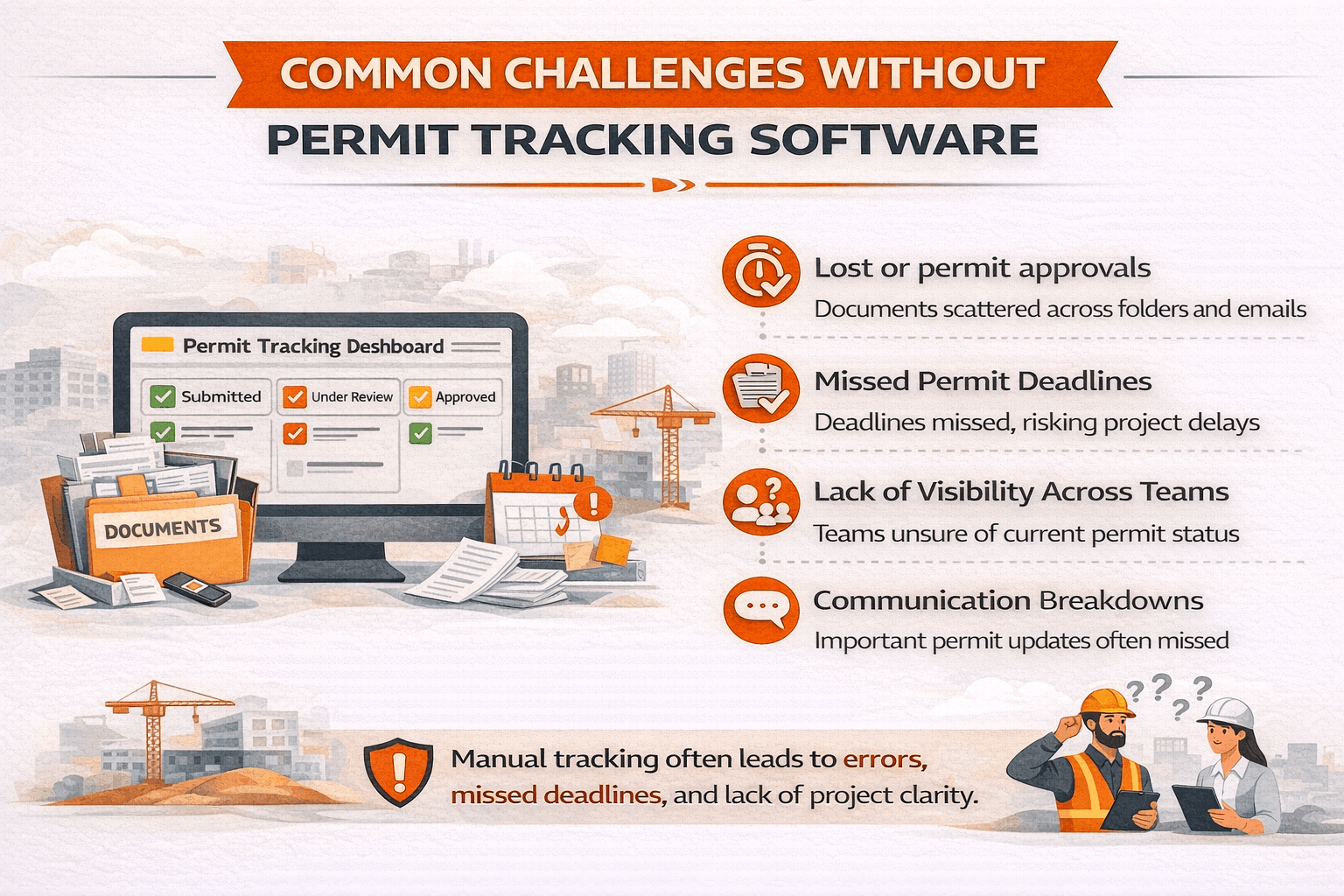
Lost or Disorganized Documentation
Construction permits require a large amount of documentation. These documents may include drawings, reports, approvals, and inspection records.
When files are stored across different systems, important documents may become difficult to locate.
Common issues include:
Files stored in multiple folders
Missing approval letters
Outdated drawings used during submissions
Permit tracking software solves this problem by storing all documents in one organized system.
Missed Permit Deadlines
Permit approvals often have expiration dates. If a permit expires before work begins, the team may need to reapply or request an extension.
Missed deadlines can delay projects and increase administrative costs. Permit tracking software helps prevent this by sending reminders before important deadlines.
Lack of Visibility Across Teams
Construction projects involve many stakeholders. Without a centralized tracking system, teams may not know the current status of a permit.
For example:
Engineers may think plans are under review
Contractors may assume permits are approved
Developers may not know revisions were requested
This lack of visibility creates confusion and delays. Permit tracking software provides a shared dashboard so all stakeholders can see the same information.
Communication Breakdowns
Permit reviews often require communication between project teams and government agencies. When updates are shared through email or phone calls, information may not reach all stakeholders. Important updates may be missed.
Permit tracking software records communication and status updates within the system. This improves coordination between teams and regulators.